Learn and master Clay with Clay university
Featured in Clay University
Personalized Direct Email Campaigns Step-By-Step Walkthrough with SmartLead
🔗 Seamlessly Integrating AI-Generated Outreach with Your Sequencing Tool
At Clay, we understand that creating personalized, AI-powered outreach is only half the battle. The real challenge lies in effectively using this tailored content within your preferred sequencing tool. In this article, we'll walk you through the process of integrating your AI-generated outreach from Clay into your sequencing platform of choice, whether it's Smartlead, Instantly, Outreach, SalesLoft, or any other tool.
📊 Preparing Your Clay Table
Before diving into the sequencing tool integration, it's crucial to have all your final copy ready and generated within your Clay table. We typically use a deep personalization table that includes custom-built subject lines and final emails for each prospect. These elements are generated using AI, as detailed in our AI copywriting guide.
In our Clay table, you'll find columns for custom subject lines and final emails, complete with personalized quotes and PS lines for each individual. This preparation ensures that when a contact is actioned in your sequencer, it uses the custom content we've crafted.
🚀 Setting Up Your Sequencing Campaign
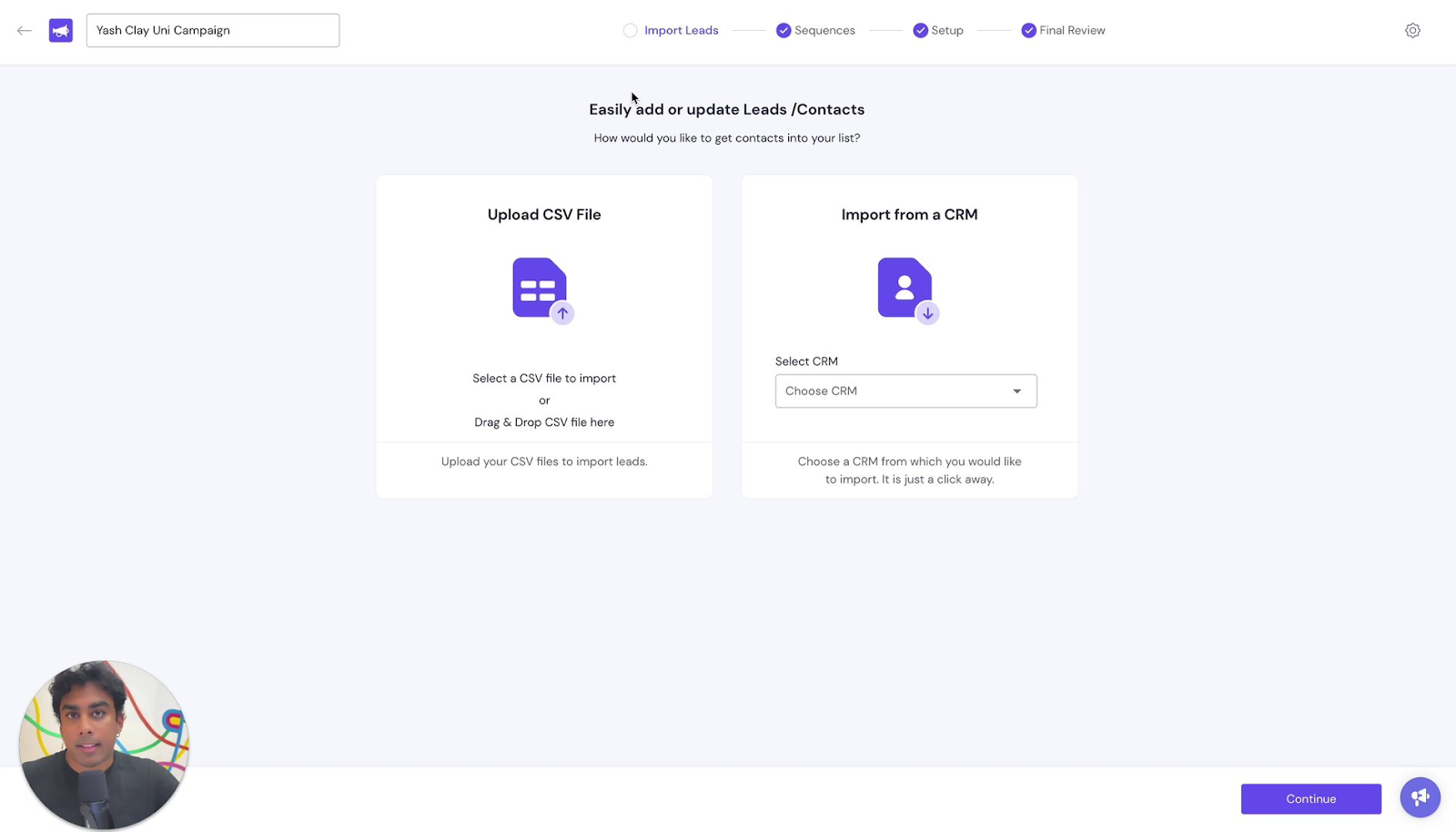
Once your Clay table is prepared, it's time to set up your campaign in your sequencing tool. For this example, we'll use Smartlead, but the principles apply across different platforms. Start by creating a new campaign, but don't import leads just yet – we'll be sending these from Clay.
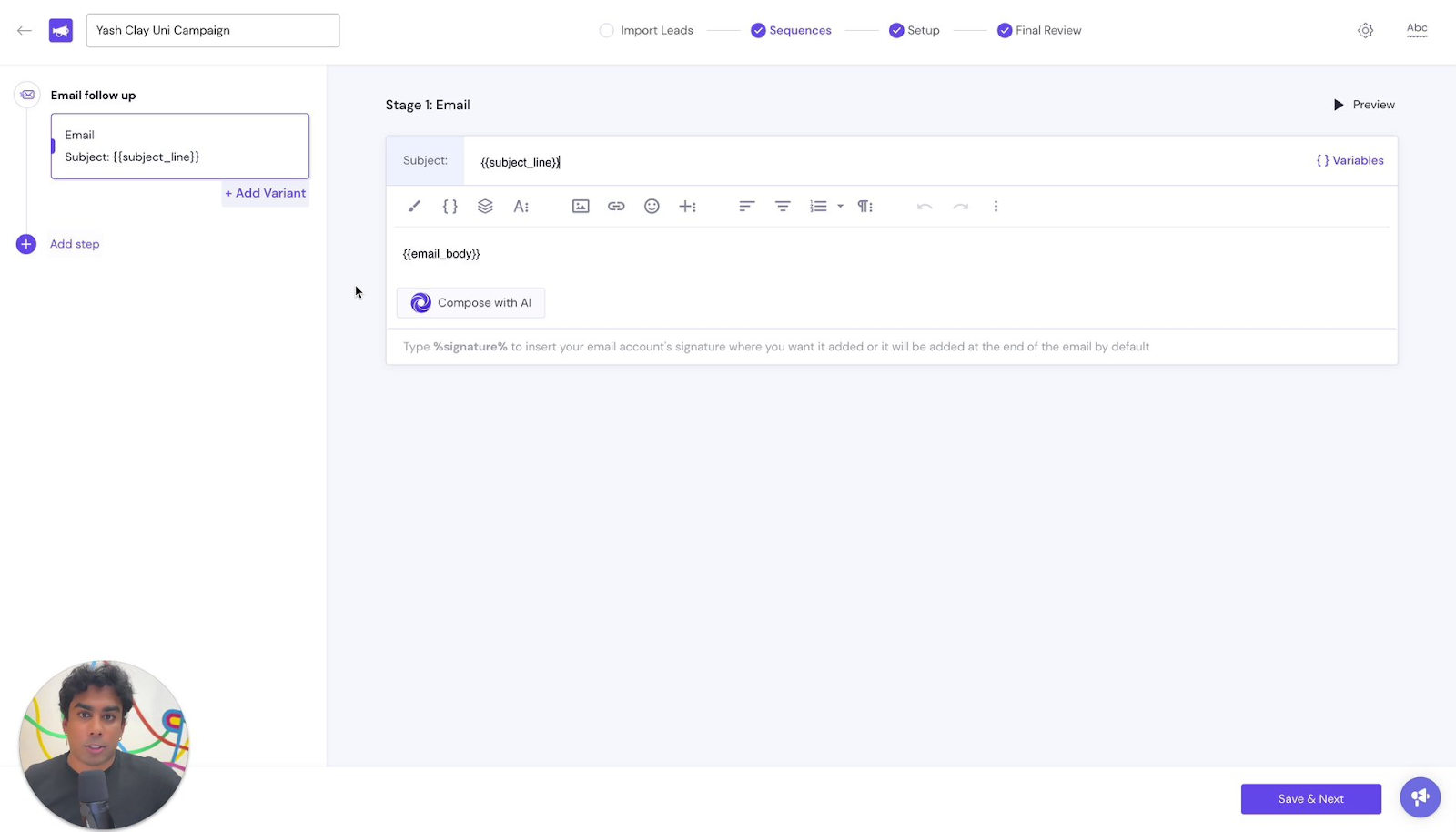
In your campaign setup, it's crucial to include the names of the variables you'll use for the subject line and email body. We typically use "subject_line" and "email_body" as our variable names. Remember to wrap these variables in double curly brackets (e.g., {{subject_line}}) to indicate to your sequencing tool that these are custom variables to be swapped with your email copy.
⚙️ Configuring Campaign Settings
After setting up your campaign structure, it's time to configure the settings. Choose your sender accounts, ensuring you're rotating your inboxes according to cold email best practices. Set your campaign rules, including start dates, time periods between sequences, and active days. You can also fine-tune settings like when to stop sending messages, email delivery optimization, and integration with other tools like HubSpot.
🌉 Bridging Clay and Your Sequencing Tool
With your sequencing campaign ready, it's time to connect it with Clay. In Clay, add the enrichment for your sequencing tool (in this case, Smartlead). Select your campaign and input all the necessary variables. Essential fields include the email address of each prospect, but it's good practice to include names and company names for clean referencing and campaign performance analysis.
The most critical step is adding custom fields. These should match exactly with the variables you set in your sequencing tool. For instance, add "subject_line" and "email_body" as custom fields, then map these to the corresponding columns in your Clay table containing your AI-generated content.

🚀 Launching Your Campaign
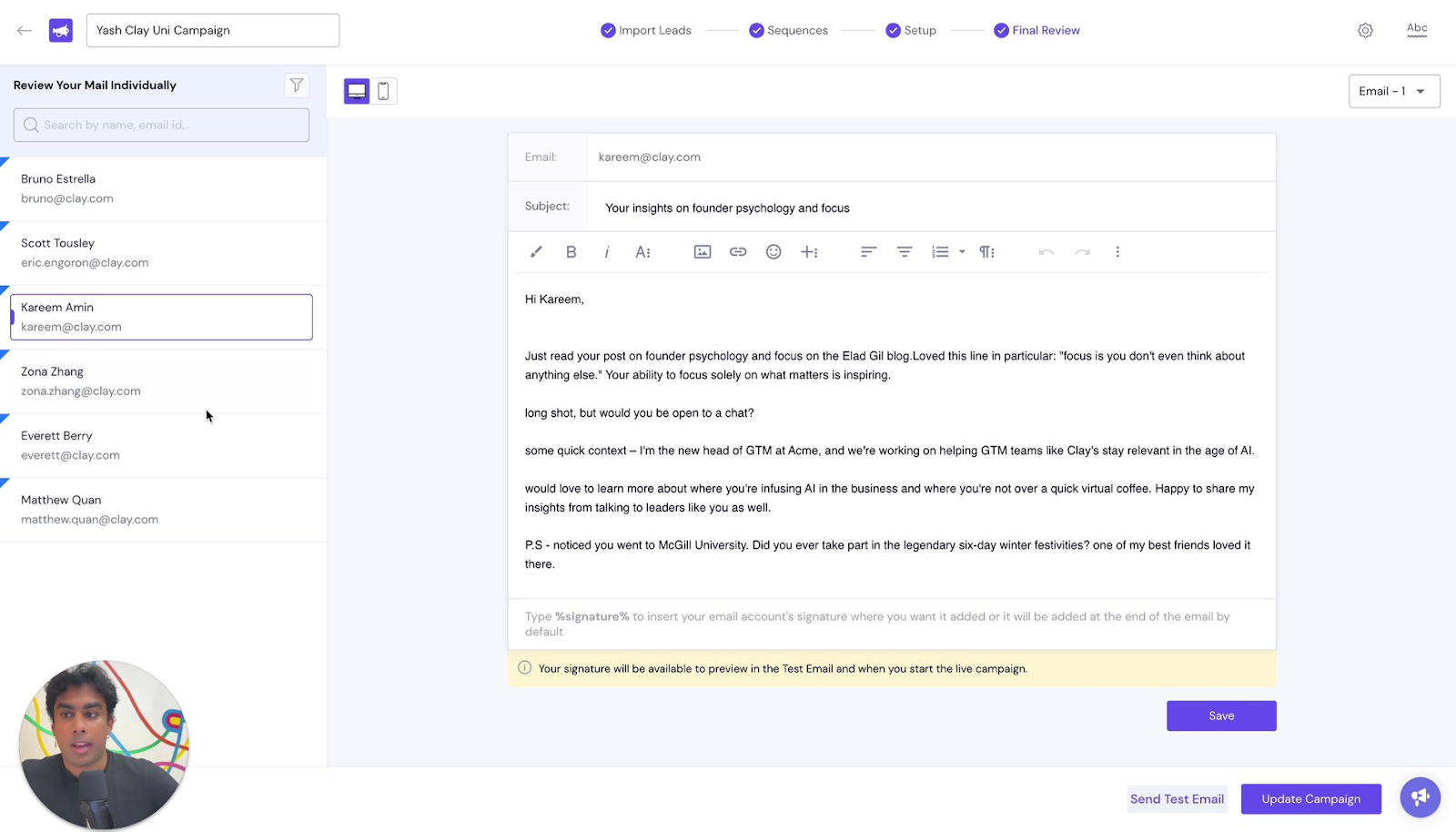
After saving and running your rows in Clay, the leads will be added to your sequencing campaign. It's essential to double-check that everything is syncing correctly. Go back to your sequencing tool, edit your campaign setup, and review the final output. Ensure that your copy is displaying exactly as intended, with all variables correctly populated.
By following these steps, you'll successfully bridge the gap between Clay's AI-powered content generation and your sequencing tool's outreach capabilities. This integration allows you to leverage highly personalized, one-to-one content at scale, significantly enhancing the effectiveness of your outreach campaigns.
Remember, while we've used Smartlead in this example, the core principles apply across various sequencing tools. The key is to ensure proper variable mapping between Clay and your chosen platform, allowing for seamless transmission of your personalized content.
With this integration in place, you're now ready to launch your AI-enhanced, personalized outreach campaigns. By combining the power of Clay's AI-generated content with the efficiency of your sequencing tool, you're set to elevate your outreach game and connect with prospects more effectively than ever before. Happy sequencing! 🎉