



Learn and master Clay with Clay university
Featured in Clay University
Enrich People (Waterfalls)
🫂 Supercharging Your People Data with Clay: Waterfalls Pt. 2
Note: this lesson also appears in Clay 101, Automated Inbound, and CRM Enrichment, so feel free to skim or skip if you've already seen it somewhere else
Now that you’ve gotten your list of people, it’s time to pull out your waterfall skills again to enrich your contact data.
Without basic contact information (at least social media profile and/or email), your contacts are essentially valueless. On top of that, you’ll need to go the extra mile when it comes to contact research if you really want to stand out in your messaging. In this guide, we’ll explore how to make the most of your contact data in Clay.
🏢 Pulling New Company Data into Your Table
First things first, we want to access all that valuable company data we’ve already enriched. Maybe you want to personalize your messages based on tech stack, or recent employee growth.
This process is simple. Whenever you add new company data to your company table, you’ll just rerun the lookup in your people table. This process pulls the enriched company data into your people table, ensuring you have a comprehensive view of each contact's company contexts
By taking this approach, you're not only saving on data credits but also creating a more integrated dataset that combines individual and company information seamlessly.
🌊 The Power of People Data Waterfalls
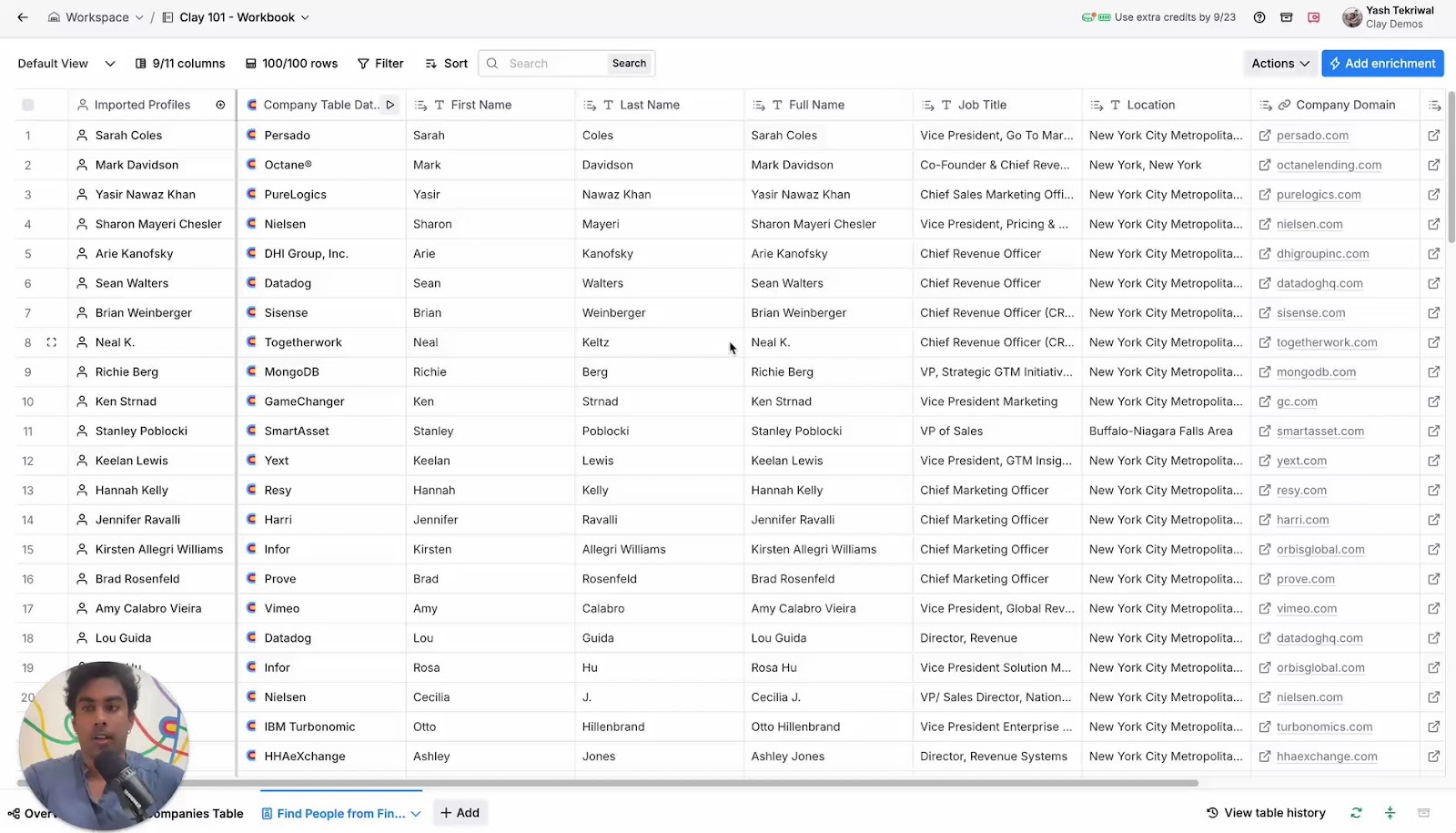
Just like with companies, we’re now going to use Waterfalls to maximize our coverage while minimizing our cost across 10+ providers to get contact data. We’ll start with email data - one of the most powerful waterfalls in Clay.
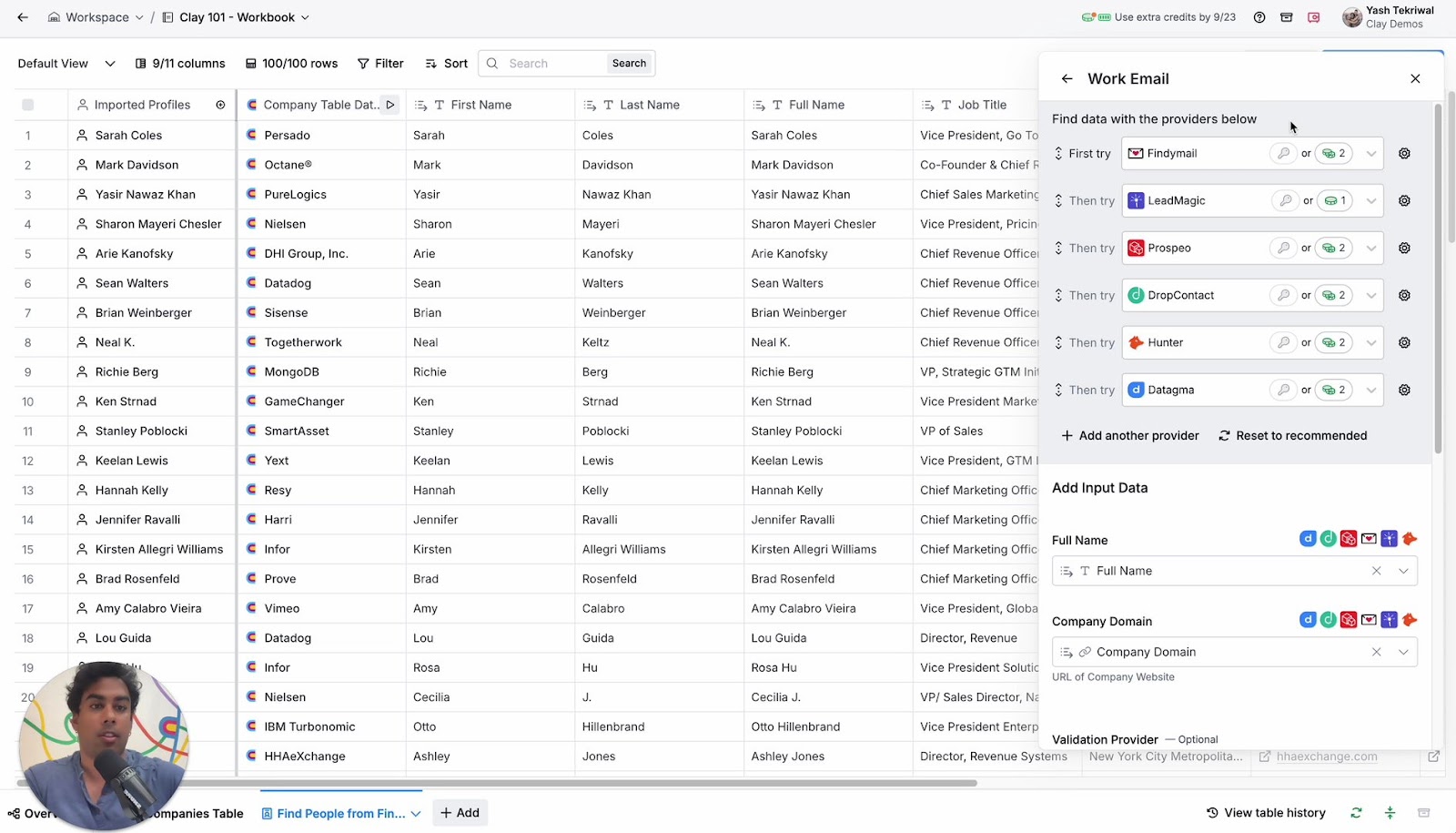
By default, you'll have access to six providers in your email waterfall. But here's where it gets interesting: you can customize your waterfall by adding more providers to maximize your email coverage. This flexibility allows you to tailor your data enrichment process to your specific needs and preferences.
Remember the puzzle-building metaphor we discussed earlier? It applies here too. To access crucial information like work email, you'll need your "corner pieces." For people data, these corner pieces are typically the full name and a social media URL. Once you have these, along with company domain and company social media URL, you've unlocked access to a treasure trove of integrations and data points.
✉️ Email Validation: Ensuring Quality Data
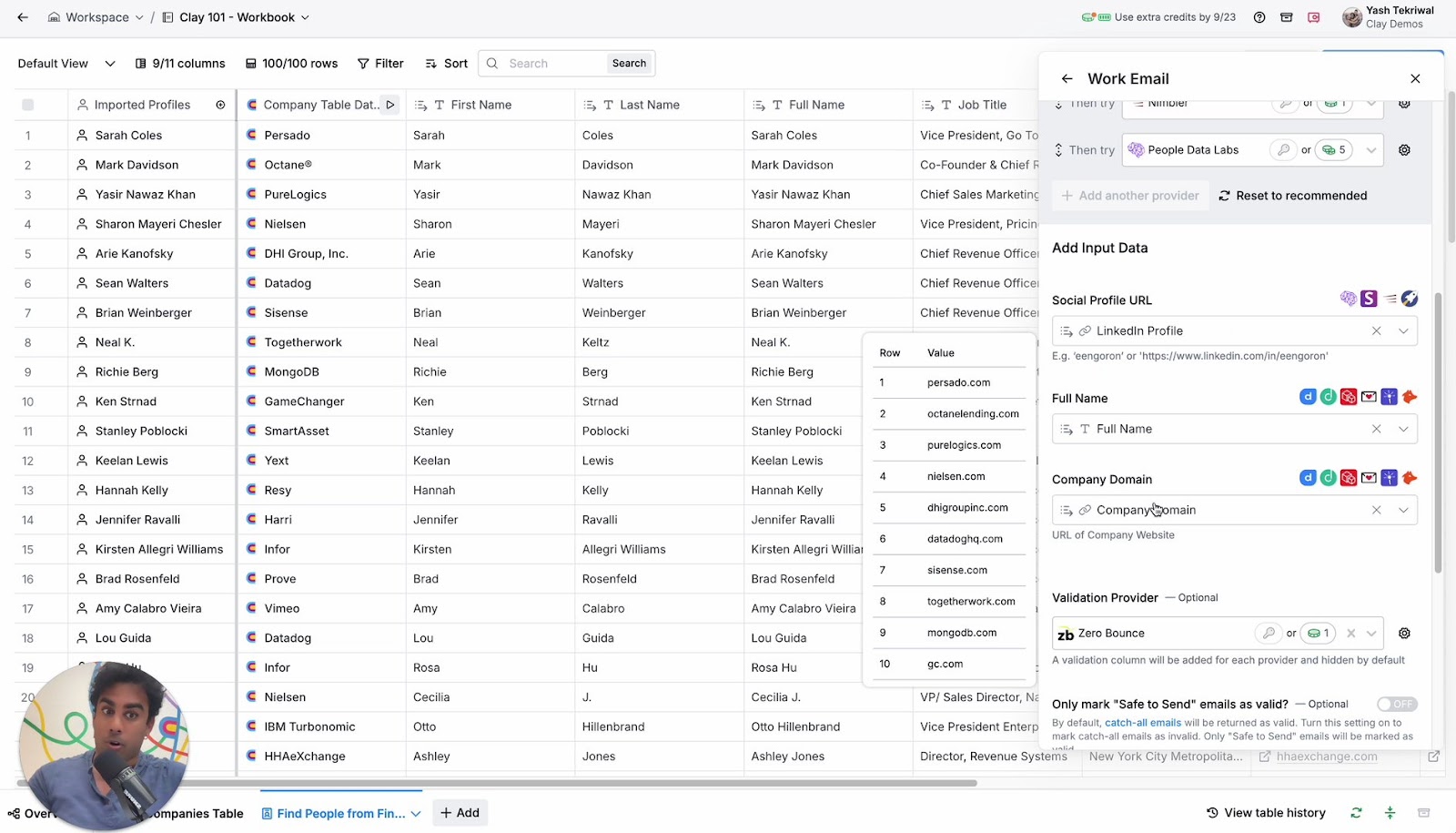
Clay’s email waterfalls go one step further by including email validation in the waterfall process. By default, we use ZeroBounce, a best-in-class validation service, but you have the flexibility to choose a different provider if you prefer.
Understanding how Clay marks emails as valid or invalid is crucial. By default, catch-all emails are returned as valid. While these are often real emails, there's some uncertainty about whether they belong to the specific individual or if they're aliases. If you want to be more conservative in your approach, you can enable the "only mark safe to send" option, which will exclude catch-all emails from your valid email list.
🏊🏽♂️ Diving Deeper into Email Waterfalls
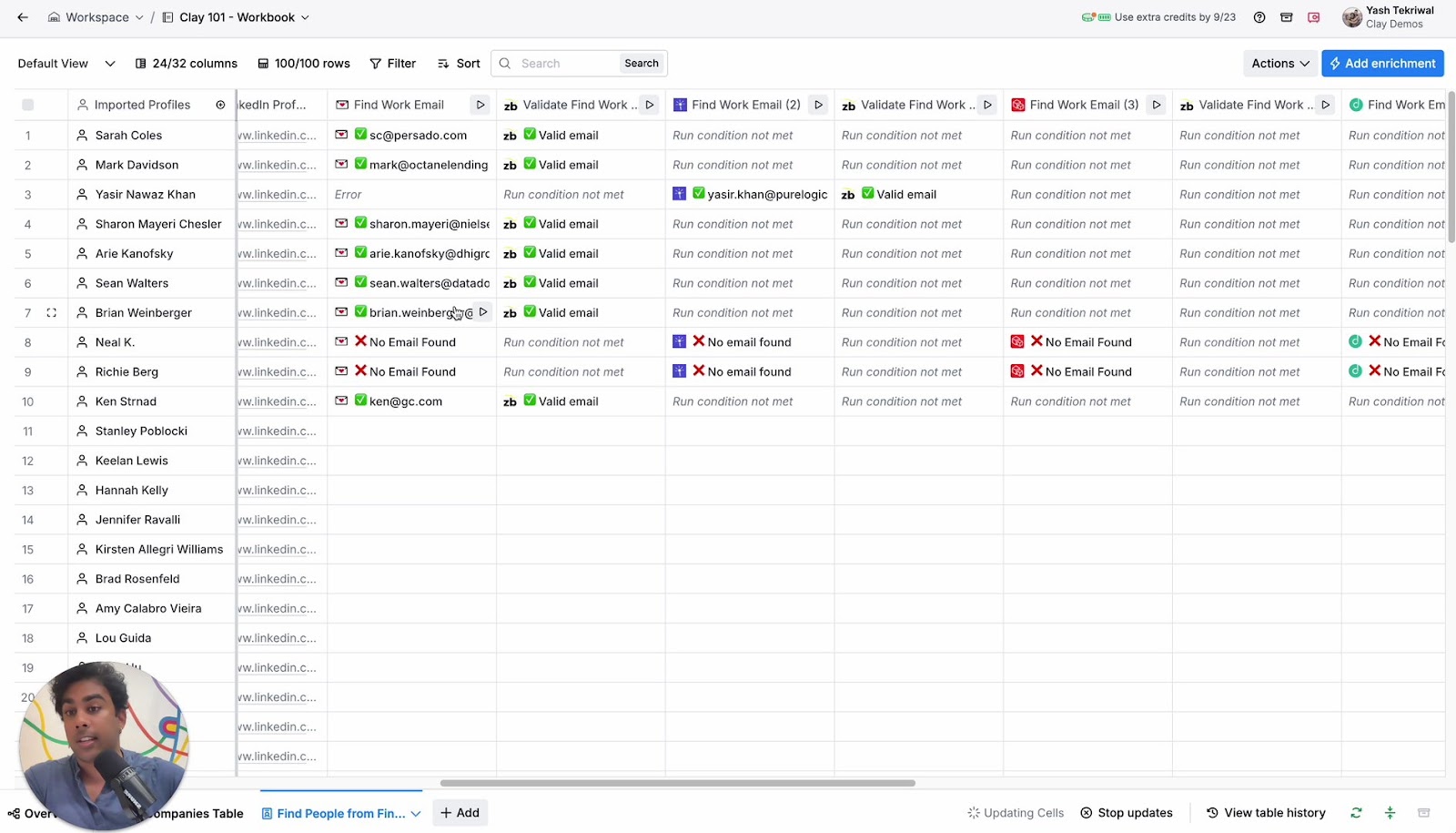
As you run your email waterfall, you'll see results populate from various providers. The final validated emails will appear in the last column of your table. It's worth noting that while the validation columns aren't displayed by default (to keep your table tidy), they do exist behind the scenes.
If you're curious about the validation process, you can unhide these columns to see how ZeroBounce (or your chosen validator) is working its magic. This transparency allows you to understand why certain emails make it to the final column while others don't.
In some cases, you might notice that the waterfall continues running even after finding an email. This usually indicates that an email was found by a data provider but failed the validation check. It's this attention to detail that ensures you're working with the highest quality data possible.
🔢 Beyond Email: Expanding Your People Data
While email is often the star of the show, Clay's waterfalls can enrich your people data in numerous other ways. You can gather phone numbers, social media profiles, GitHub URLs, and much more. The possibilities are vast, allowing you to build a comprehensive profile of each contact in your database.
For those looking to go even further, Clay offers additional tools like Claygent for web scraping and integrations with Google searches. These advanced features open up new avenues for data enrichment, helping you uncover those hard-to-find details that can make all the difference in your outreach efforts. We’ll cover those in some later lessons in this course - so don’t worry, it’s coming up!
