



Learn and master Clay with Clay university
Featured in Clay University
Data Cleaning + Normalization
🧹 Elevating Your Data Quality with Clay's Cleaning Tools
Note: this lesson also appears in Clay 101, Automated Inbound, and CRM Enrichment, so feel free to skim or skip if you've already seen it somewhere else
Now that you’ve gathered a wealth of company and contact data, it’s time to clean it all up.
Getting data is just the first part of the journey. But if you’ve worked with data in the past, then you know that “garbage in leads to garbage out”. Luckily, with some clever native integrations we’ve built into Clay - you can turn “garbage” data into “golden” data.
Let's explore how these tools can transform your workflow.
🛠️ Our Data Cleaning Arsenal
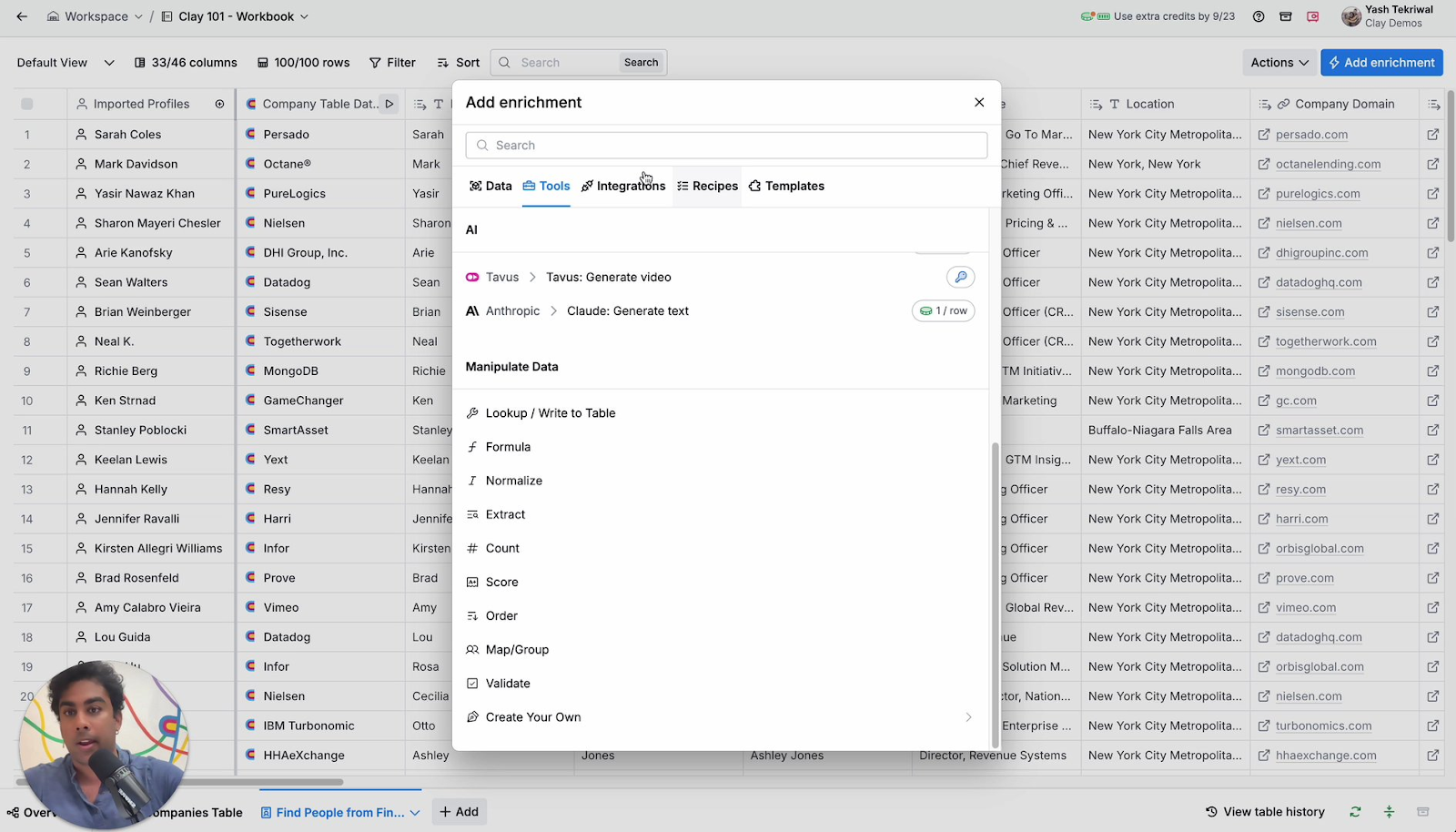
Nestled within our enrichment panel, under the "Tools" section, you'll find a treasure trove of functions designed to manipulate and clean your data. These tools go beyond what AI formulas alone can offer, providing specialized solutions for common data challenges.
🏷️ Normalizing Company Names: A Game-Changer
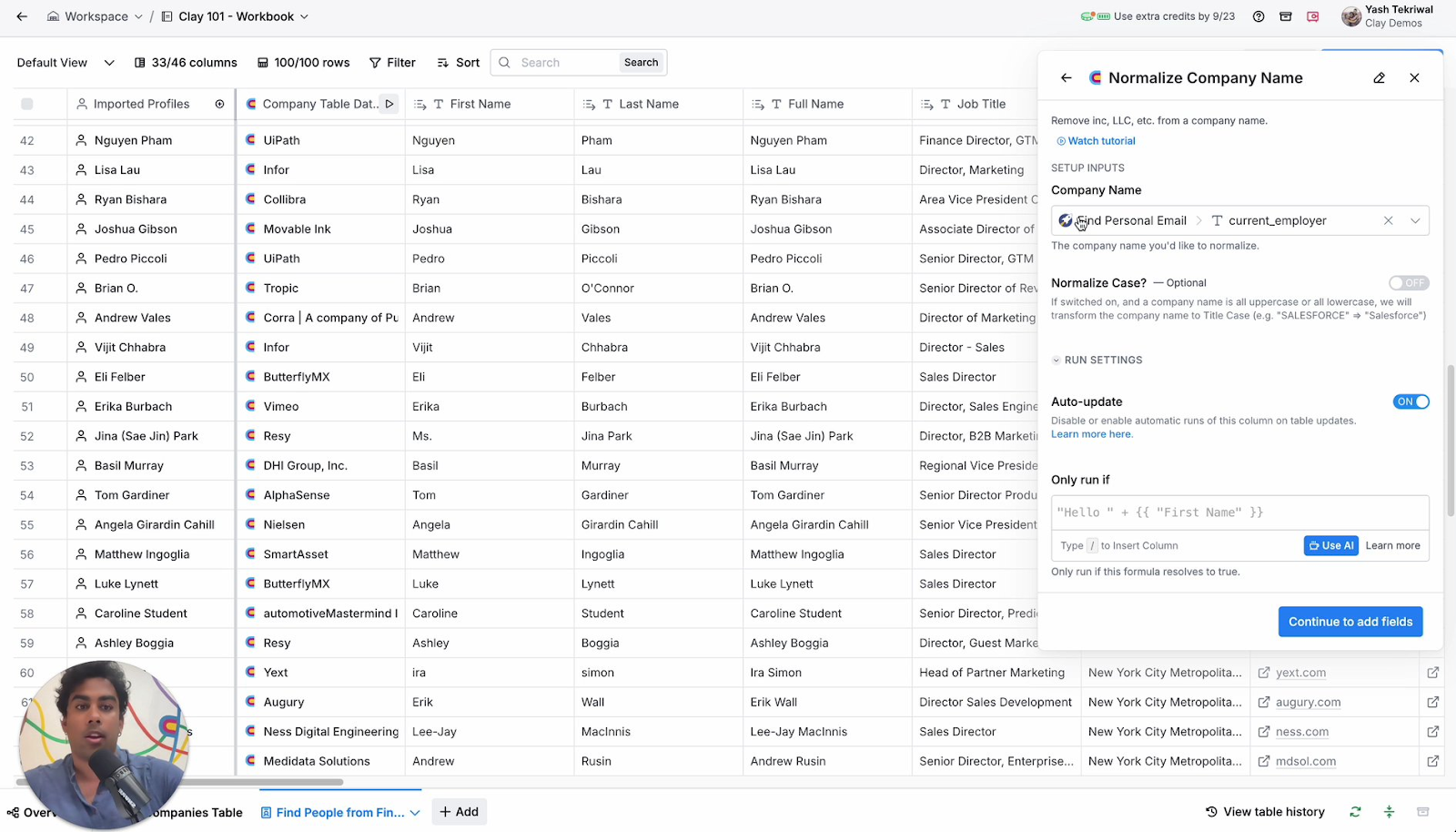
One of our most popular cleaning tools addresses a common pain point: inconsistent company names. How often have you encountered company names cluttered with legal suffixes or unnecessary prefixes? Our normalize company names function tackles this issue head-on.
For instance, "Panamax Inc." becomes simply "Panamax," and "Cora, a company of blank" is streamlined to "Cora." This clean-up not only makes your data more uniform but also prepares it for seamless use in email copy or other communications.
📞 Beyond Company Names: Versatile Normalization
Our normalization tools extend far beyond company names:
- Text Whitespace: Ensure consistent spacing across all your text data.
- Phone Numbers: Standardize formats, removing or adding parentheses as needed.
- Locations: Create uniformity in how addresses and locations are represented.
These are just a few examples – we encourage you to explore the full range of normalization options available in Clay.
🚀 Putting It Into Practice
Let's walk through a quick example of how to use our normalize company names function:
- Navigate to the enrichment panel and locate the "Tools" section.
- Scroll past the AI options to find our pre-built functions.
- Select "Normalize Company Names."
- Choose the appropriate input column (in this case, the company name from your companies table).
- Optionally, you can normalize the case and add additional fields as needed.
- Run the action across your rows.
The result? Clean, consistent company names ready for your next campaign or analysis.
🌟 Unlocking the Potential of Clean Data
By leveraging Clay's data cleaning and normalization tools, you're setting yourself up for success. Clean data leads to more accurate analyses, more effective outreach, and ultimately, better business outcomes.
Remember, while we've highlighted some key features here, there's always more to explore. We encourage you to dive into our various normalization options and discover how they can enhance your specific workflows.
Data cleaning might not be the most glamorous part of data management, but with Clay's tools, it can be surprisingly straightforward – and even enjoyable. Happy data cleaning!
