


All docs
/
Enrich
/
Stripe integration

Stripe integration

Global payment processing platform enabling secure transactions and revenue growth.

Overview

Stripe Overview

The Stripe integration allows you to retrieve detailed information about a specific subscription using its unique ID.

Setting up Shopify and Clay integration

To start, connect your Stripe account by selecting + Add account within the Stripe enrichment panel. Ensure that your Stripe account credentials are set up in Clay to enable this action.

How to retrieve Stripe subscription by ID within Clay

Step 1: Select the Stripe action

You can access the Stripe integration through the search panel.
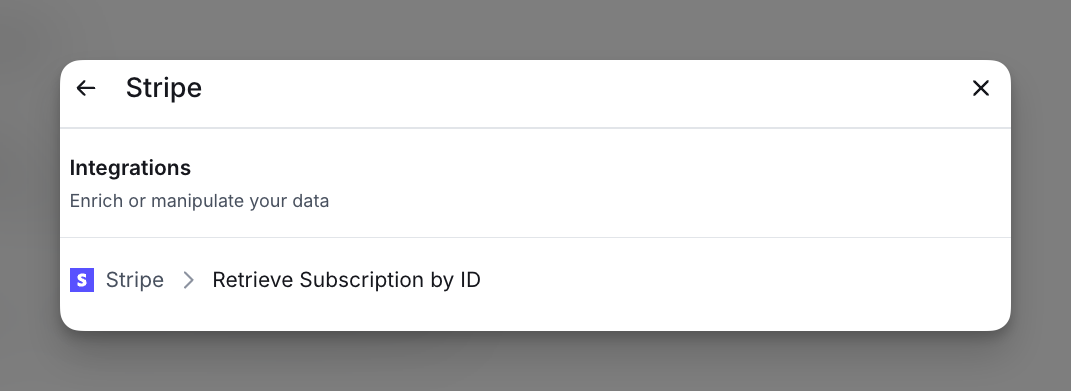
Step 2: Connect your Stripe account

Connect your Stripe account by clicking + Add account
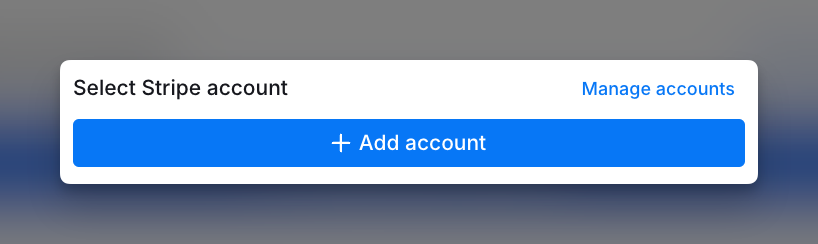
Step 3: Enter Subscription ID

Enter the ID of your Stripe subscription.

Step 4: Configure run settings

Auto-update: Stripe will automatically enrich any new rows that get added to the table. Learn more about auto-update in this this brief guide.

Conditional runs: To run enrichment only under specific conditions, use formulas that trigger the column when the formula is true. See this Clay University lesson.

Explore other docs

Export

Nooks integration

Enroll prospects in Nooks sequences and import prospect, account, and email data into Clay.

View article
Enrich

Reddit Ads in Clay

Reach known contacts on Reddit with a custom audience synced from Clay.

View article
Enrich

Bing Ads in Clay

Reach your contacts across Microsoft's search network with a customer list synced from Clay.

View article
Enrich

Vibe.co in Clay

Run connected TV ads on streaming services against contact audiences synced from Clay.

View article
Enrich

Google Ads in Clay

Reach known contacts across Search, YouTube, Gmail, and Display with a first-party customer list synced from Clay.

View article
Enrich

Meta Ads in Clay

Advertise across Facebook, Instagram, Messenger, and WhatsApp using contact audiences synced from Clay.

View article
Enrich

LinkedIn Ads in Clay

Target B2B buyers by syncing people and account audiences from Clay to Campaign Manager.

View article

Other popular resources

Experts

Find a Clay Expert

Explore our network of Clay experts and agencies.

View experts
Community

Join our slack community

Find help in our slack community, and support channels.

Go to slack
Cohorts

Join a cohort, learn Clay fast!

The faster way to master Clay. Sign in if you're enrolled in a cohort (current or past) or apply!

Learn more about cohorts
Talents

Hire GTME Talent

Find and connect with GTM talent who've demonstrated expertise in building advanced workflows

Explore GTME talents