



ScrapeMagic integration
AI-powered data extraction from websites and documents via questions.

ScrapeMagic Overview
ScrapeMagic is an AI-powered tool that extracts specific data from any website or document by simply asking questions.
Setting up ScrapeMagic and Clay integration
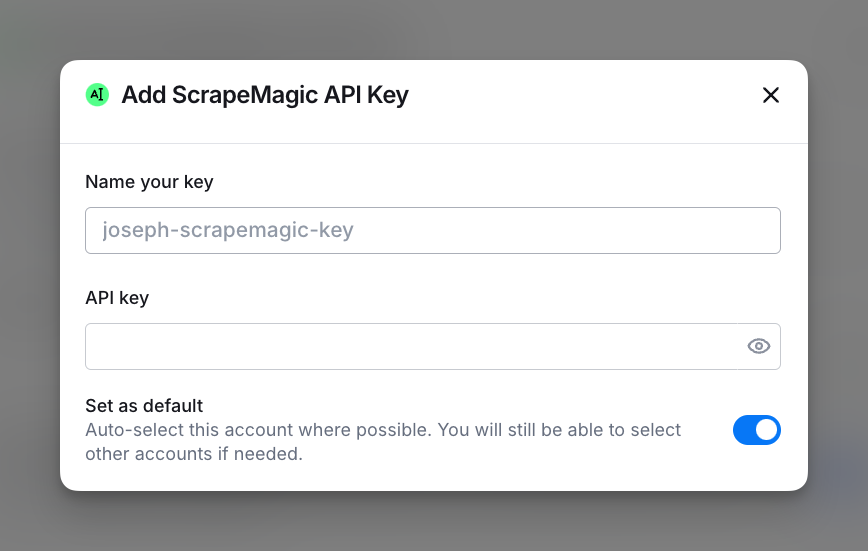
To set up the ScrapeMagic integration, connect your ScrapeMagic account by adding your API key. You can access this in the Settings > Connections or via any integration panel.
Available Actions with the ScrapeMagic Integration
Action Parse Data from URL
Use this action to extract structured data from a web page URL within Clay workflows using ScrapeMagic.
Setup Inputs
- URL: Enter or select a column containing the URL from which you want to extract data.
- Fields to Extract: Define the fields you want to extract. Enter a field name on the left and a description of the field on the right to specify what ScrapeMagic should retrieve (e.g., “sqft → The amount of square footage that was leased”).
- DOM Content Selector (Advanced) (Optional): Specify the DOM selector containing the content to extract. By default, this uses “body.”
Explore other docs
Other popular resources
Cohorts
Join a cohort, learn Clay fast!
The faster way to master Clay. Sign in if you're enrolled in a cohort (current or past) or apply!
Talents
Hire GTME Talent
Find and connect with GTM talent who've demonstrated expertise in building advanced workflows