



People Data Labs integration overview
Enrich B2B person and company profiles with comprehensive, actionable data.

Getting started with People Data Labs
The People Data Labs integration in Clay enables users to enrich person data, find personal emails, and generate segmented lists of people based on query parameters in Clay.
With People Data Labs, you can perform a variety of actions, including:
- Enrich Company
- Enrich Person
- Find Personal Email
- Get Employee Count by Criteria
With People Data Labs, you can perform a variety of actions, including:
Getting better email and phone number coverage with waterfall enrichments
People Data Labs is great for finding email and phone number contacts, but it's not the only way to get this data.
For better coverage on email data, we recommend using Clay's waterfall enrichments, which will let you search sequentially across multiple data providers. Learn more on how to use Clay waterfalls with this Clay University lesson.
With that in mind, let’s dive into using People Data Labs within Clay!
Connecting with Clay with People Data Labs
Option 1: Use the Clay-managed People Data Labs account
By default, People Data Labs enrichments will use the Clay-managed People Data Labs account. This means that any new enrichment will charge the designated credit amount.
Simply pull up any People Data Labs enrichment within Clay to use the Clay-managed People Data Labs account.
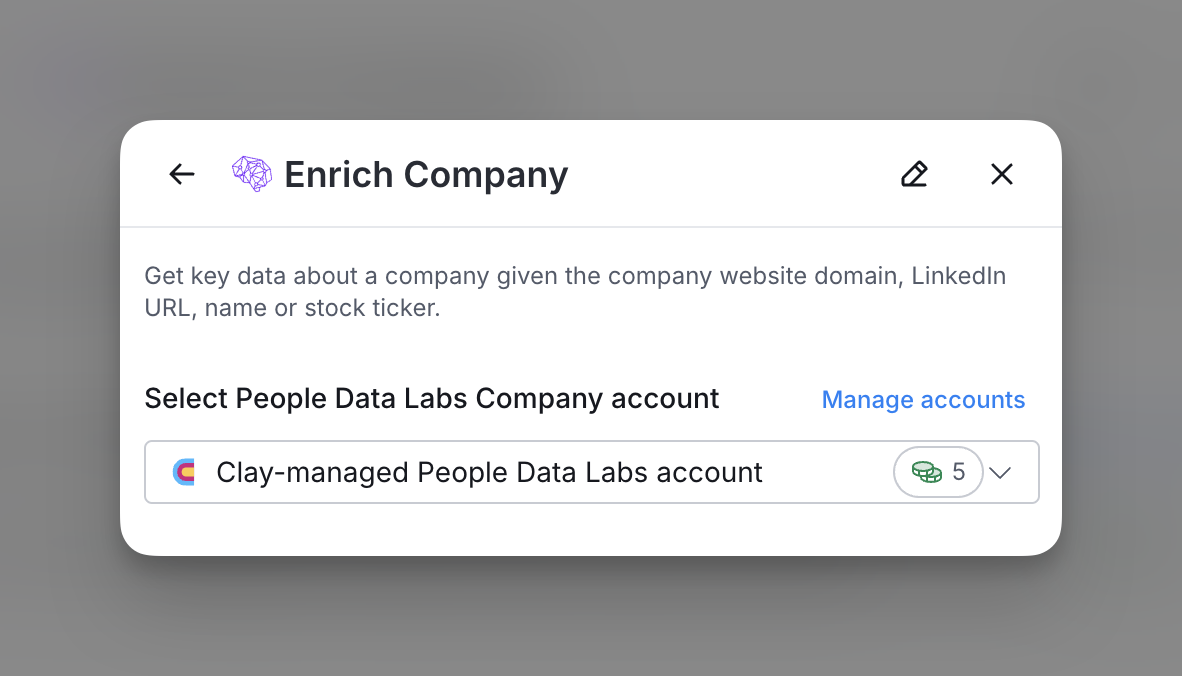
For more information on how many credits you’ll be charged for each action, check out the list below.

Option 2: Add your own People Data Labs API key
If you are currently on a paid plan, you can use your own People Data Labs account within Clay through an API key.
You can access your People Data Labs API key through the Integrations section.
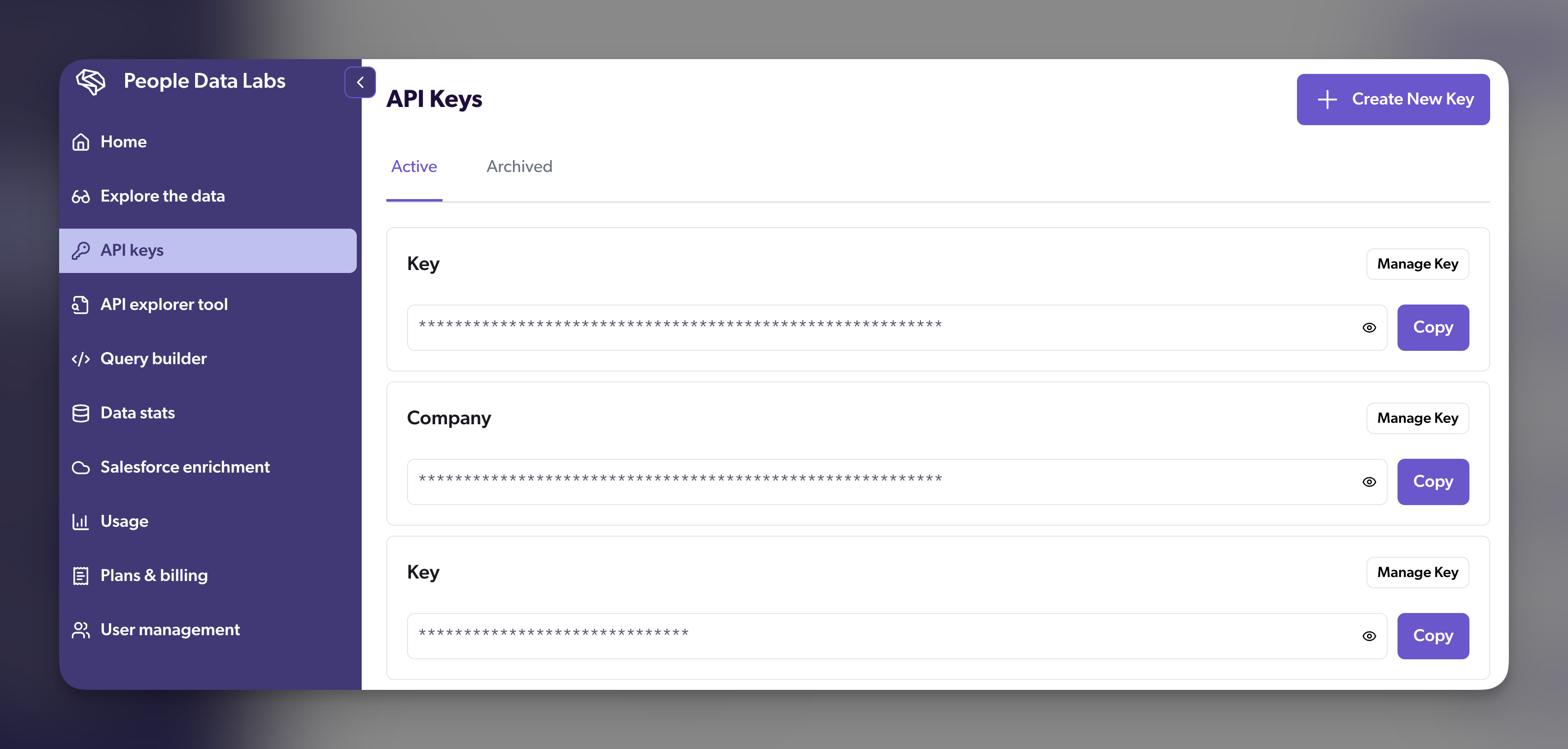
You can add your API key by Add Account through any People Data Labs enrichment.

Available actions with the People Data Labs integration
Action Enrich Company
Retrieve enriched company data such as industry, revenue, employee count, and more.
Setup Inputs
- Company Domain: The company’s primary domain, e.g., google.com.
- Company Social Profile (Optional): Social URL for the company, e.g., LinkedIn profile.
- Company Stock Ticker (Optional): Stock ticker symbol like “GOOGL.”
- Minimum Likelihood Score (Optional): Set a likelihood score threshold to refine data accuracy.
Action Enrich Person
Use this action to retrieve comprehensive personal data such as social profiles, contact details, and employment history using People Data Labs.
Setup Inputs
- Person’s Name: Provide the full name of the individual.
- Company Name: Specify the company name associated with the person. Must be used with Person’s Name.
- Social Media Profile URL (Optional): Enter the LinkedIn, Twitter, or Facebook URL for the person to narrow down results.
Action Find Personal Email
Retrieve a person’s personal email by searching with available identifiers.
Setup Inputs
- Person’s Name: The individual’s full name. Used in combination with Company Name.
- Company Name: The company associated with the individual. Must be used with Person’s Name.
- Social Media Profile URL (Optional): Provide a LinkedIn, Twitter, or other social profile URL to improve accuracy.
Action Get Employee Count by Criteria
Retrieve the employee count for a company based on role or geographic location criteria.
Setup Inputs
- Company Domain: The domain URL of the company (e.g., google.com).
- Company Social Profile (Optional): LinkedIn or other social media URL of the company.
- Company Stock Ticker (Optional): Stock ticker symbol, such as “GOOGL.”
- Role Filter (Optional): Specify the job roles to filter the employee count.
- Country Filter (Optional): Filter results by country for location-specific data.
Explore other docs
Other popular resources
Join a cohort, learn Clay fast!
The faster way to master Clay. Sign in if you're enrolled in a cohort (current or past) or apply!
Hire GTME Talent
Find and connect with GTM talent who've demonstrated expertise in building advanced workflows