




Getting started with Mixrank
Mixrank in Clay allows users to enrich a person's profile using their email address or find their personal email address from their LinkedIn or social profiles.
There are two actions you can do with Mixrank, including:
- Enrich Person from Email
- Find Personal Email
We'll cover how to connect Clay to Mixrank, then we'll go over each action that is available with Mixrank.
But first let's talk a bit about data enrichment waterfalls.
Getting better email coverage with waterfall enrichments
Mixrank is great for finding email contacts, but it's not the only way to get this data.
For better coverage on email data, we recommend using Clay's waterfall enrichments, which will let you search sequentially across multiple data providers.
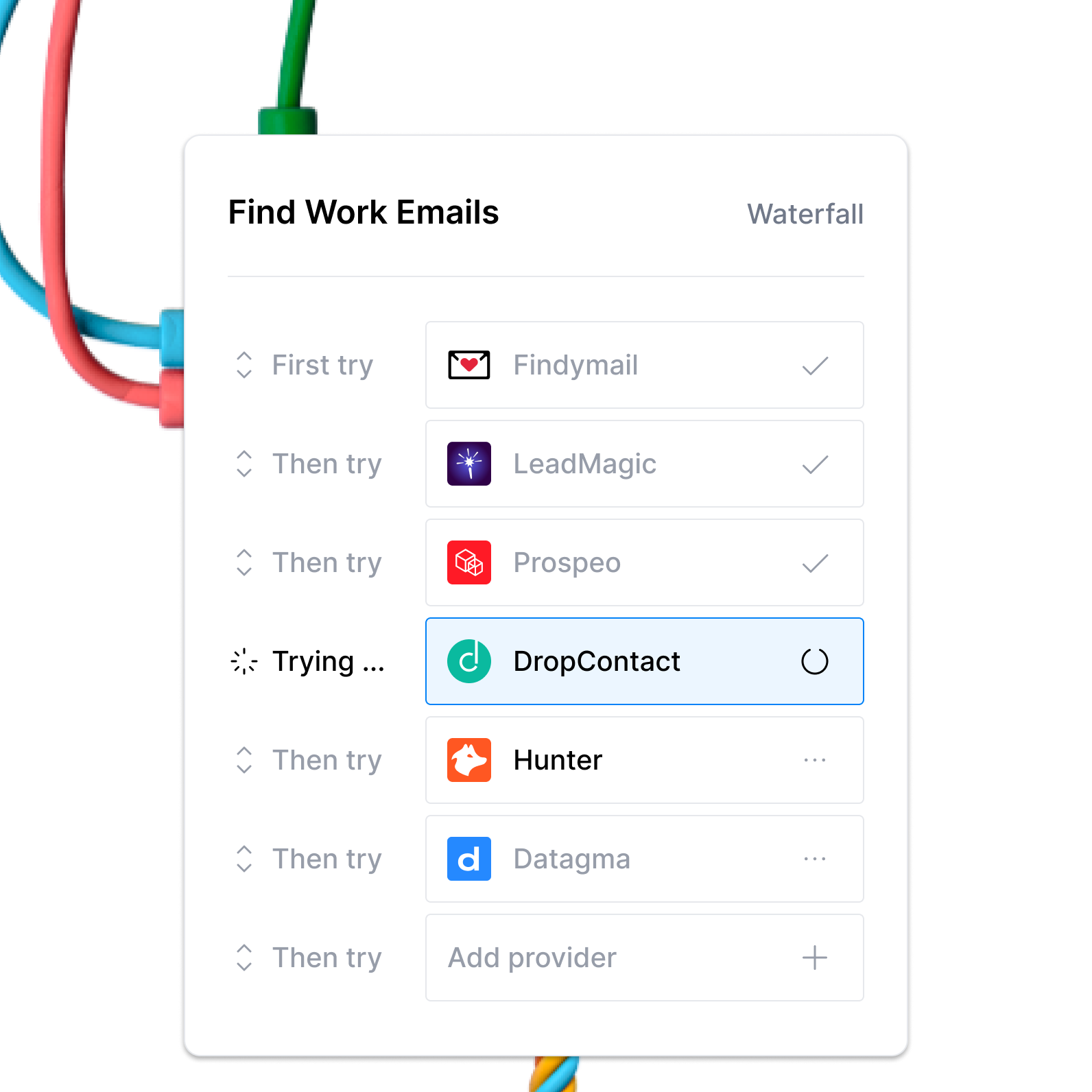
Learn more on how to use Clay waterfalls with this Clay University lesson.
That said, let's get into it on how to use Mixrank with Clay!
Connecting with Clay with Mixrank
By default, all Mixrank actions within Clay are handled through your Clay account. There’s no need to set up an additional Mixrank account or input an API key.
Each Mixrank action will deduct two credits from your Clay account.
Action Enrich Person from Email
The Enrich Person from Email action enriches a person using a personal or work email address.
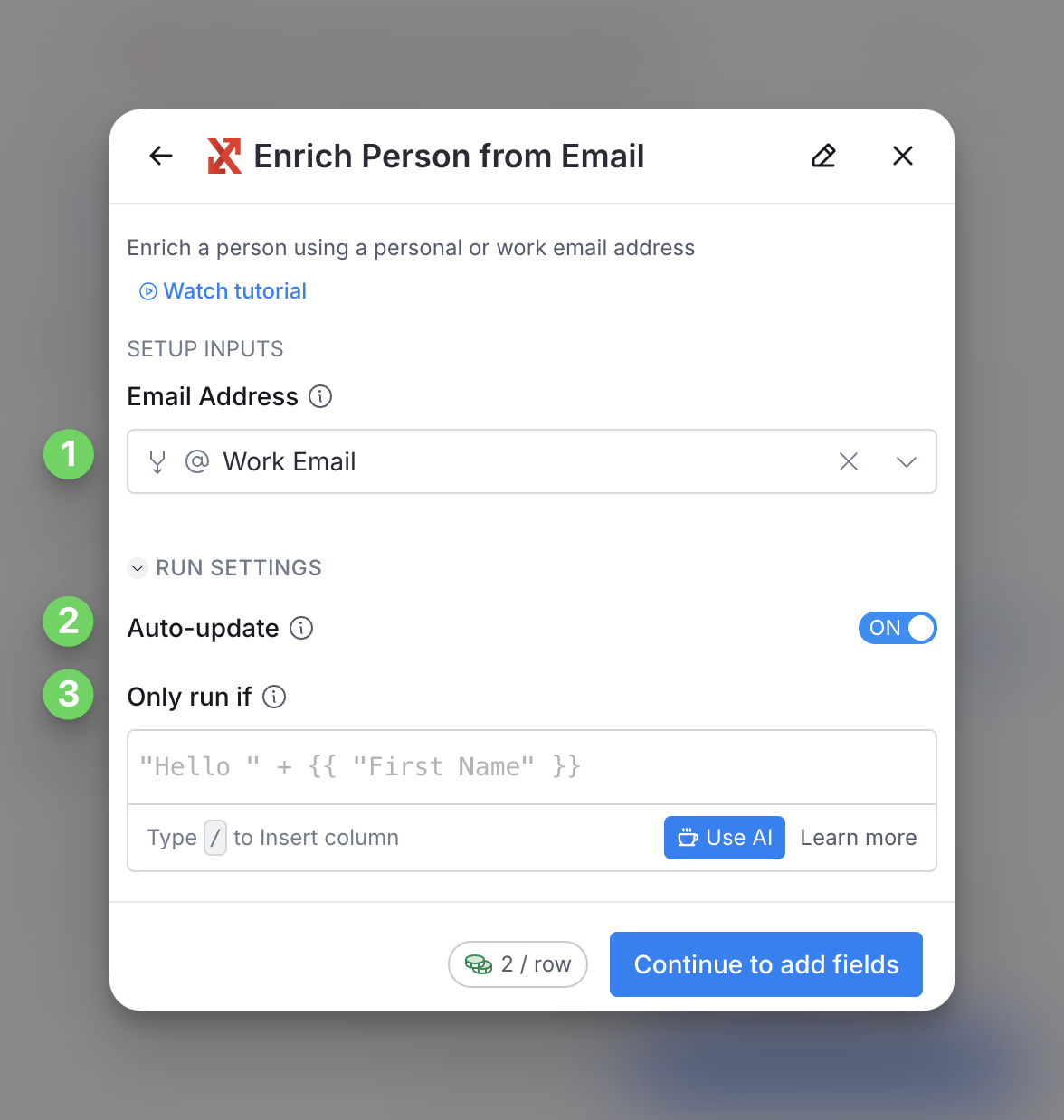
Step 1: Enter email address
Please enter the email address of the person you are trying to enrich
Step 2 (Optional): Select Auto-update
By default, Mixrank will auto-update the integration every 24 hours. This is optional. Make sure to toggle this step off if you do not want to auto-update, however, you might run into stale data problems.
For more information about how auto-update works, please read this brief guide.
Step 3 (Optional): Select conditional run criteria
If you want to only run this enrichment under set circumstances, you are able to input formulas where the column runs only if the formula is true. Learn more about conditional runs in this Clay University lesson.
Step 4: Choose data to add as columns to table
Select which data from the enrichment you’d like to add as columns to your table. Even if you choose not to add columns at this point, the enriched data will still be available and accessible for later use.

Action Find Personal Email
The Find Personal Email action helps you find a person’s personal email address using their LinkedIn URL or professional Profile.

Step 1: Enter either Social or professional URL
Enter either the LinkedIn or professional URL of the person whose personal email address you are trying to find.
Step 2 (Optional): Select Auto-update
By default, Mixrank will auto-update the integration every 24 hours. This is optional. Make sure to toggle this step off if you do not want to auto-update, however, you might run into stale data problems.
For more information about how auto-update works, please read this brief guide.
Step 3 (Optional): Select conditional run criteria
If you want to only run this enrichment under set circumstances, you are able to input formulas where the column runs only if the formula is true. Learn more about conditional runs in this Clay University lesson.
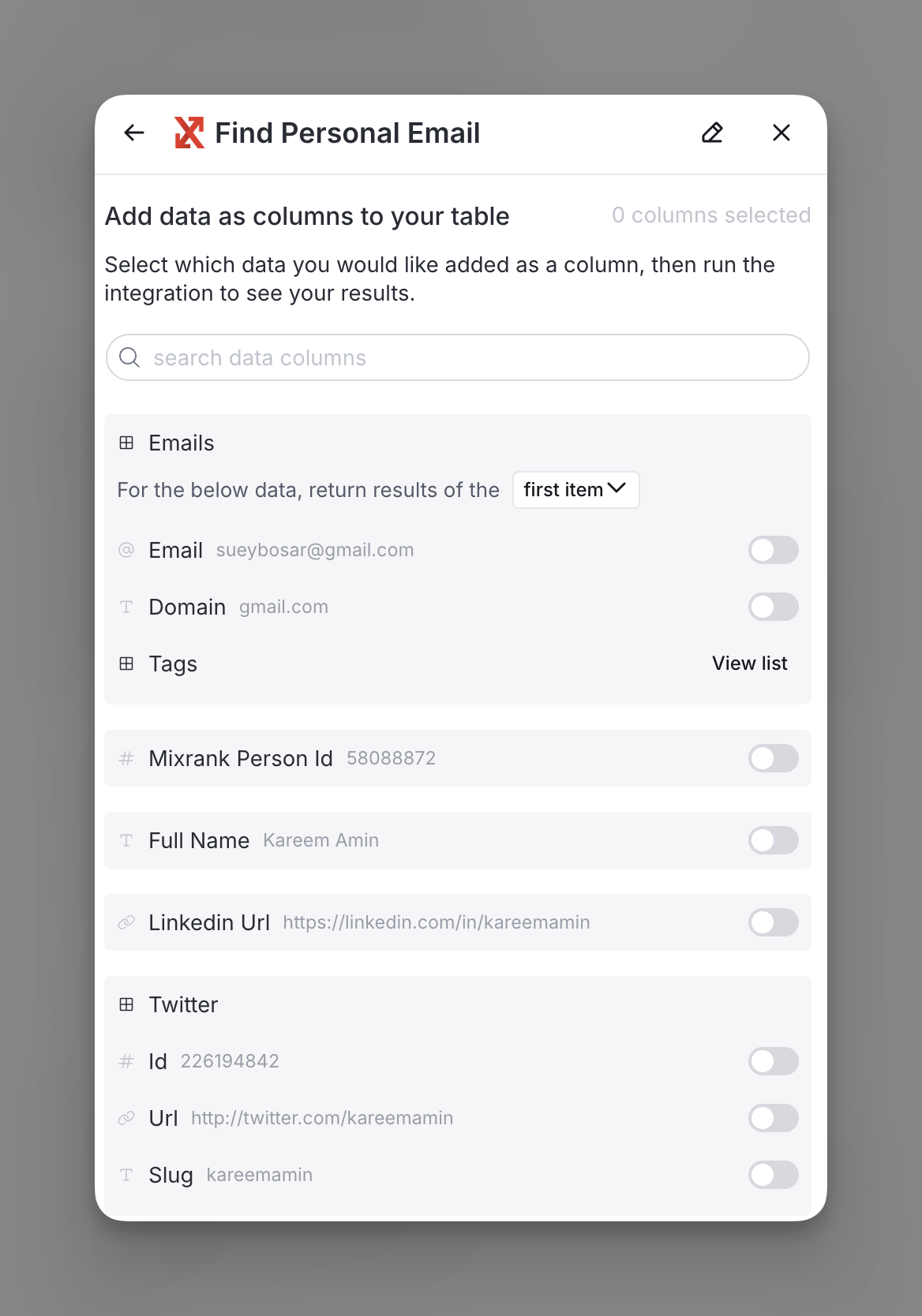
Step 4: Choose data to add as columns to table
Select which data from the enrichment you’d like to add as columns to your table. Even if you choose not to add columns at this point, the enriched data will still be available and accessible for later use.
Explore other docs
Other popular resources
Join a cohort, learn Clay fast!
The faster way to master Clay. Sign in if you're enrolled in a cohort (current or past) or apply!
Hire GTME Talent
Find and connect with GTM talent who've demonstrated expertise in building advanced workflows