




Getting started with Icypeas
Icypeas in Clay allows you easily find the work email of a contact from Name and Company Domain.
We'll cover how to connect Clay to Icypeas, then we'll go over each action that is available with Icypeas.
But first let's talk a bit about data enrichment waterfalls.
Getting better email coverage with waterfall enrichments
Icypeas is great for finding email contacts, but it's not the only way to get this data.
For better coverage on email data, we recommend using Clay's waterfall enrichments, which will let you search sequentially across multiple data providers.
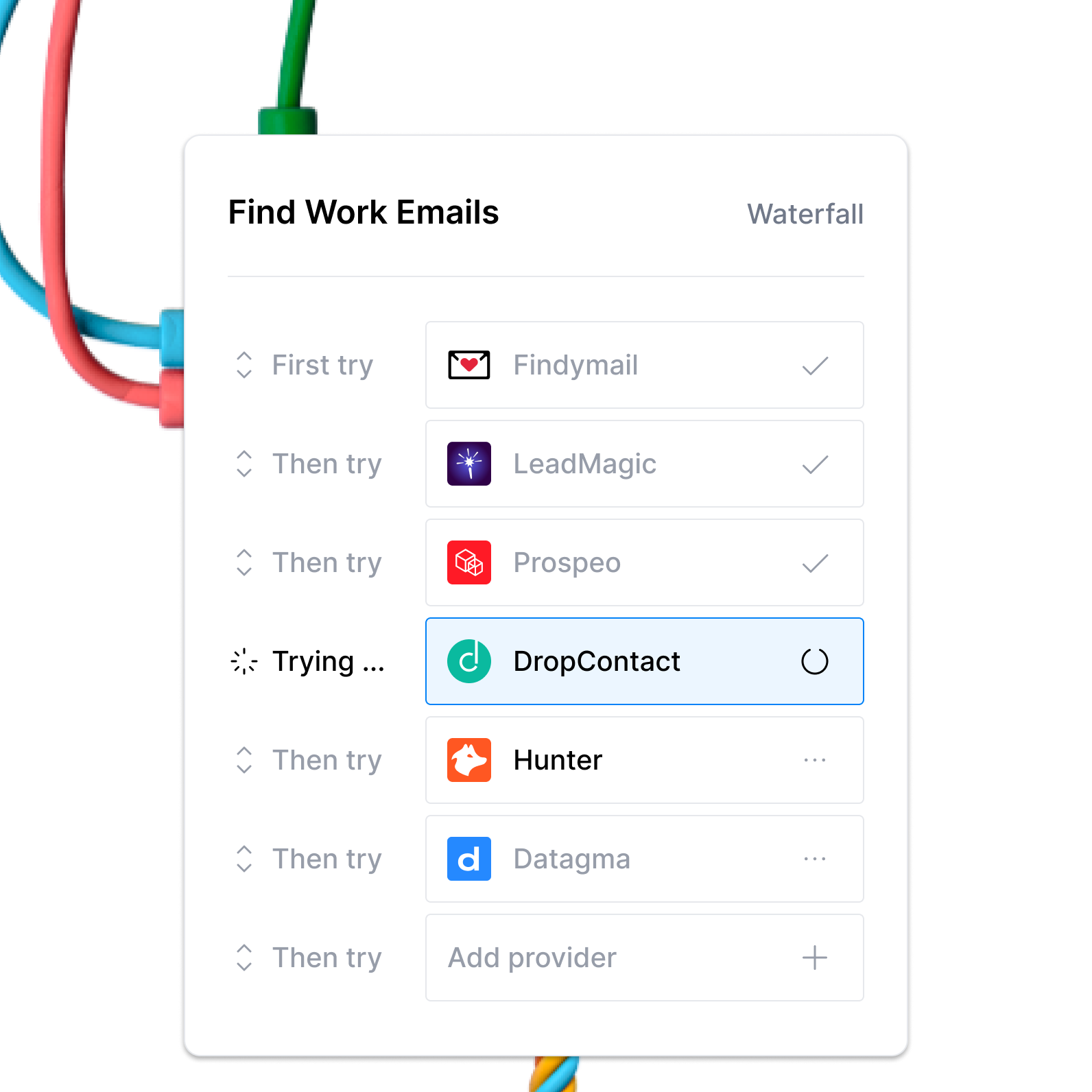
Learn more on how to use Clay waterfalls with this Clay University lesson.
That said, let's get into it on how to use Icypeas with Clay!
Connecting with Clay with Icypeas
Option 1: Use the Clay-managed Icypeas account
By default, Icypeas enrichments will use the Clay-managed Icypeas account. This means that any new enrichment will charge the designated credit amount. Simply pull up any Icypeas enrichment within Clay to use the Clay-managed Icypeas account.

Option 2: Add your own Icypeas API key
If you are currently on a paid plan, you can use your own Icypeas account within Clay through an API key.
To obtain your Icypeas API key, follow these instructions within Icypeas’ documentation.
You can easily add your Icypeas API key by selecting Add account through the enrichment panel. Below is an example of where you can access the account creation process:

Action Find Work Email
The Find Work Email action helps you find the work email from the name and company domain of a contact.
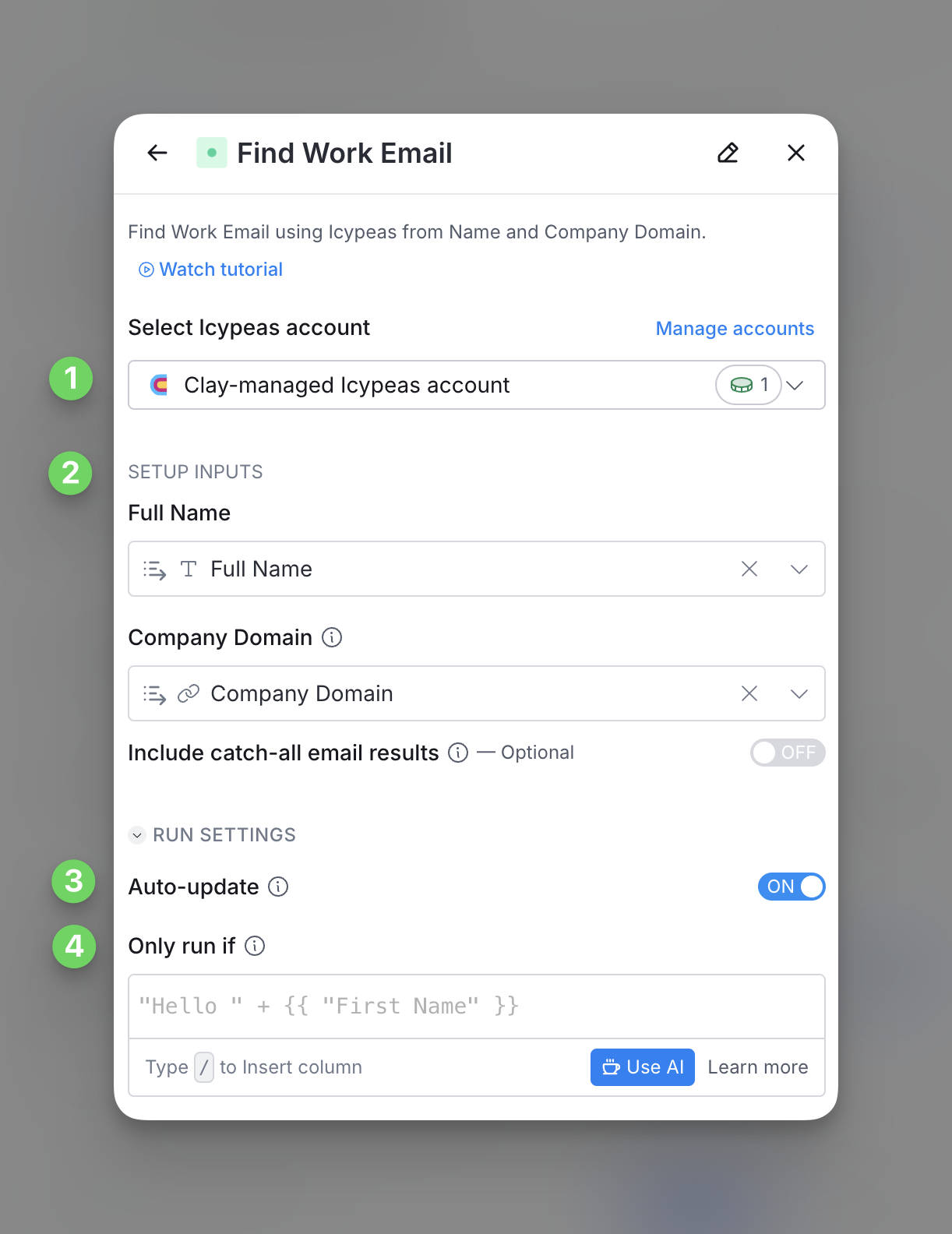
Step 1: Choose the Icypeas account you want to use
First, you can use either the Clay-managed Icypeas account or your own API key.
If you use the Clay-managed Icypeas account you will be charged at 1 credit per enriched cell. For more information on how Clay credits work, please refer to this guide.
Step 2: Enter email address
You will need to enter the Full Name and Company Domain of person you want to find the Work Email for.
Optionally, you are also able to include catch-all emails.
Step 3 (Optional): Select Auto-update
By default, Icypeas will auto-update the integration every 24 hours. This is optional. Make sure to toggle this step off if you do not want to auto-update, however, you might run into stale data problems.
For more information about how auto-update works, please read this brief guide.
Step 4 (Optional): Select conditional run criteria
If you want to only run this enrichment under set circumstances, you are able to input formulas where the column runs only if the formula is true. Learn more about conditional runs in this Clay University lesson.
Explore other docs
Other popular resources
Join a cohort, learn Clay fast!
The faster way to master Clay. Sign in if you're enrolled in a cohort (current or past) or apply!
Hire GTME Talent
Find and connect with GTM talent who've demonstrated expertise in building advanced workflows