




Important note: This feature is only available to enterprise customers.
What are recipes?
Recipes are pre-built plug and play combinations of enrichments you can run.
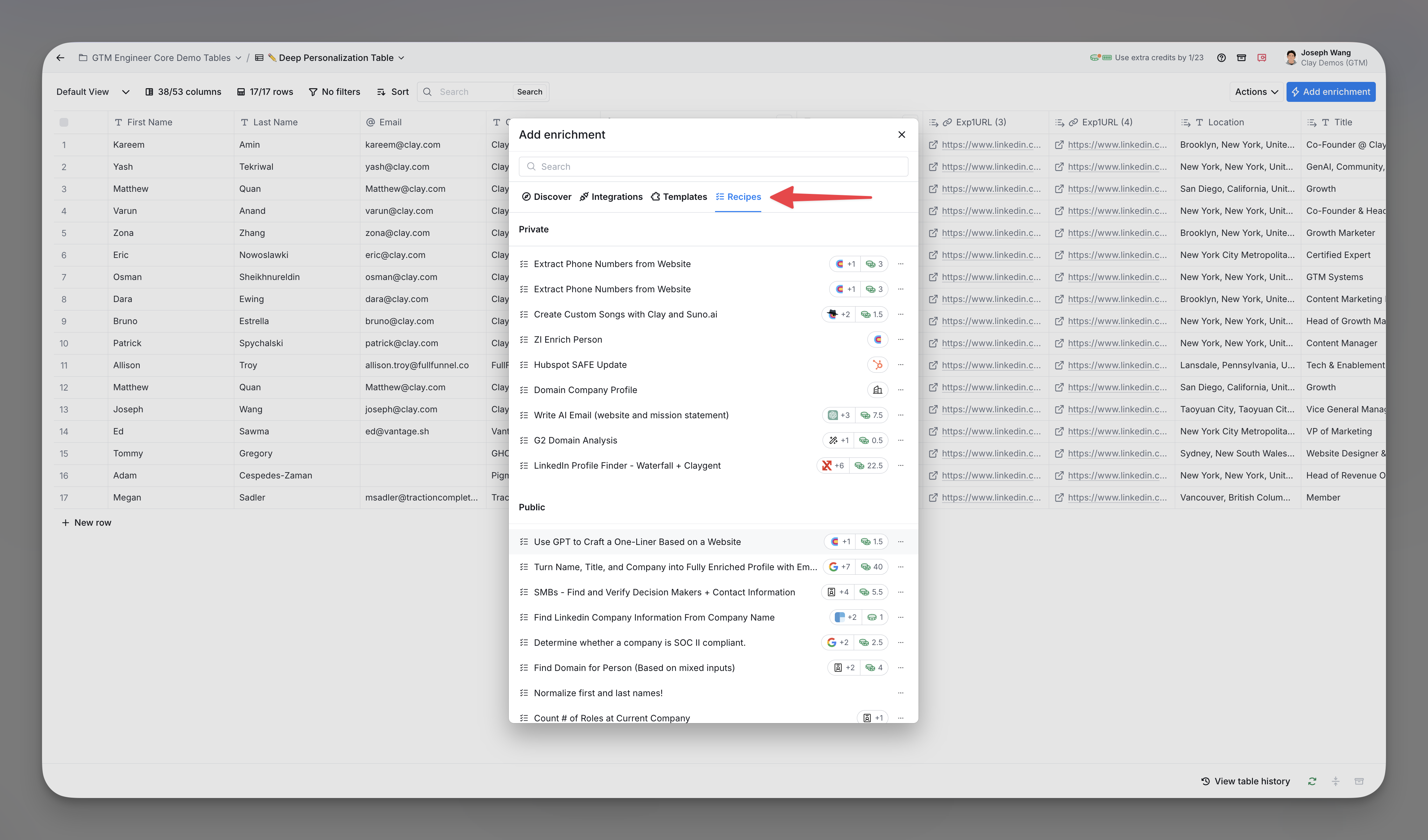
Use a recipe
To use a recipe:
- Select
Add enrichmentfrom your table to access the enrichment discovery panel. - Navigate to the top menu of the enrichment discovery panel and click on
Templates. - Select the recipe you want to run.
- Save and/or run your enrichment.

Create a recipe
You can save existing enrichment configurations as recipes. To create a recipe:
- Hold
ControlorCommand, then select the columns you want to include in the recipe. - Right-click on the highlighted columns and select
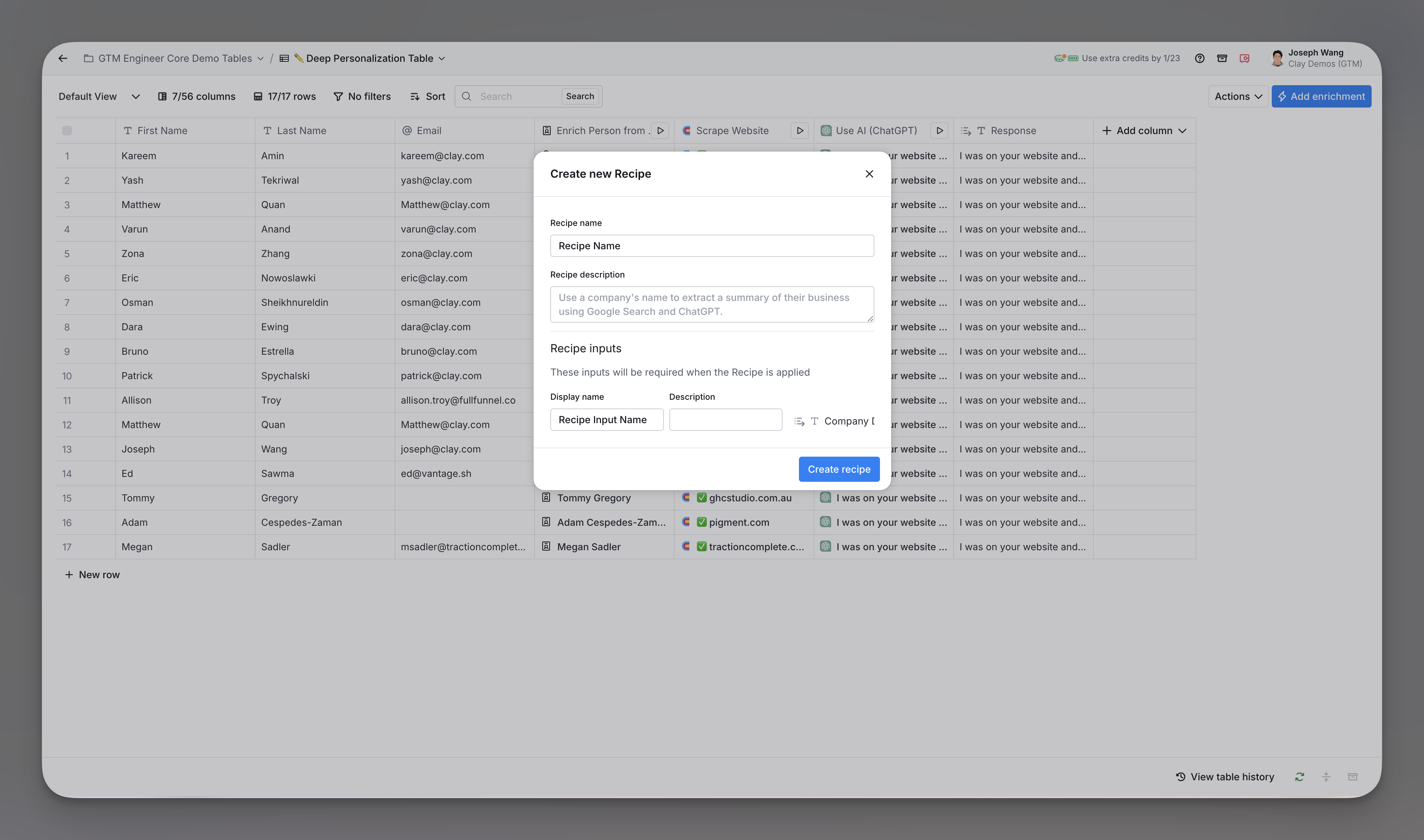
Save as template. - Enter a name, description, and inputs for your recipe.
- Select
Create templateto save your recipe.
Delete a recipe
To delete your recipe:
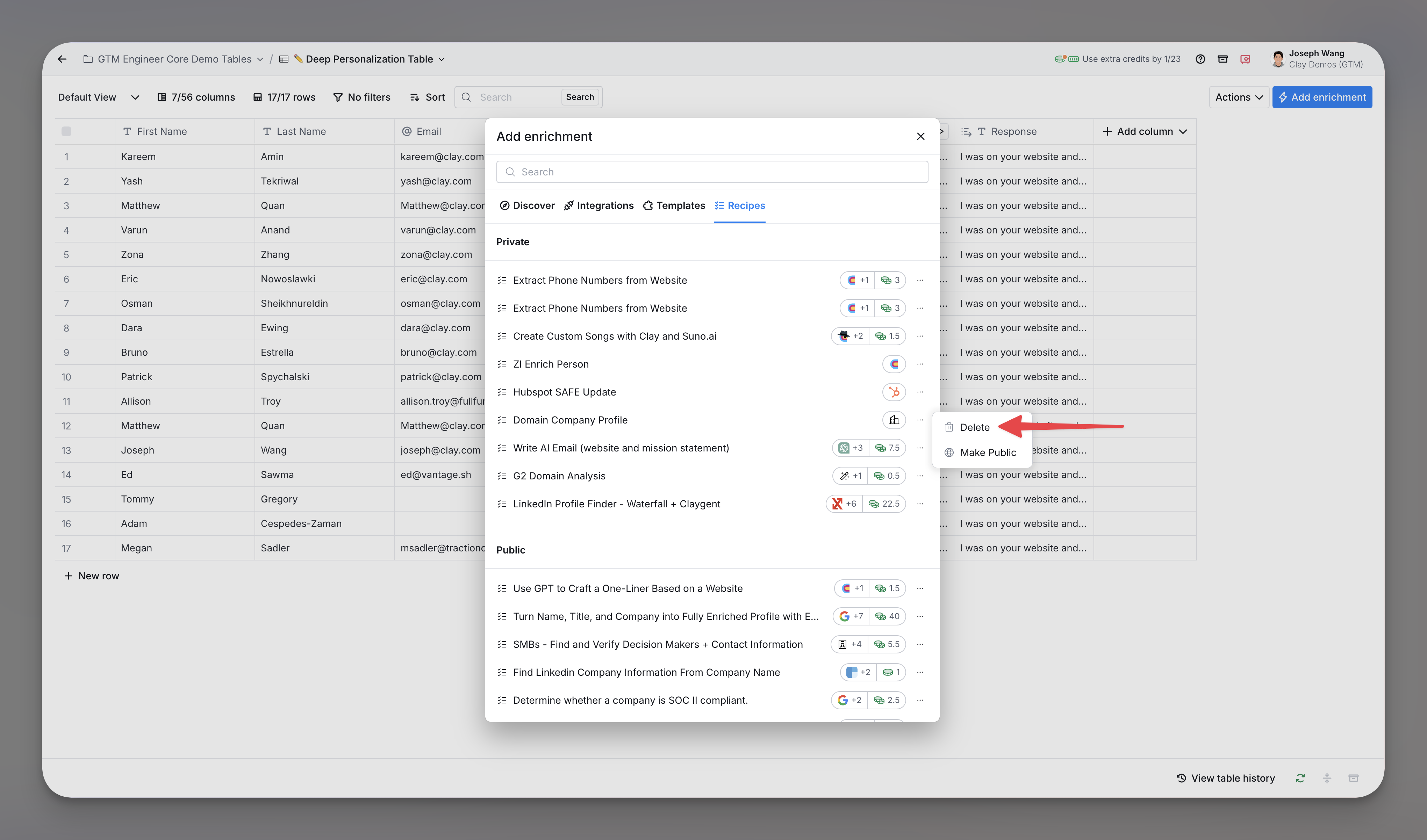
- Select
Add enrichmentfrom your table to open the enrichment discovery panel. - Navigate to the top menu of the enrichment discovery panel and click on
Templates. - Click on the
...menu to the right of the recipe you want to delete, then select Delete.
Explore other docs
Other popular resources
Cohorts
Join a cohort, learn Clay fast!
The faster way to master Clay. Sign in if you're enrolled in a cohort (current or past) or apply!
Talents
Hire GTME Talent
Find and connect with GTM talent who've demonstrated expertise in building advanced workflows