




What is Debounce?
Debounce in Clay validates work emails to ensure they’re safe, reducing bounces, protecting your sender reputation, and improving deliverability.
Connecting Clay with Debounce
There are two options to connect Debounce to Clay.
Option 1: Use the Clay-managed Debounce account
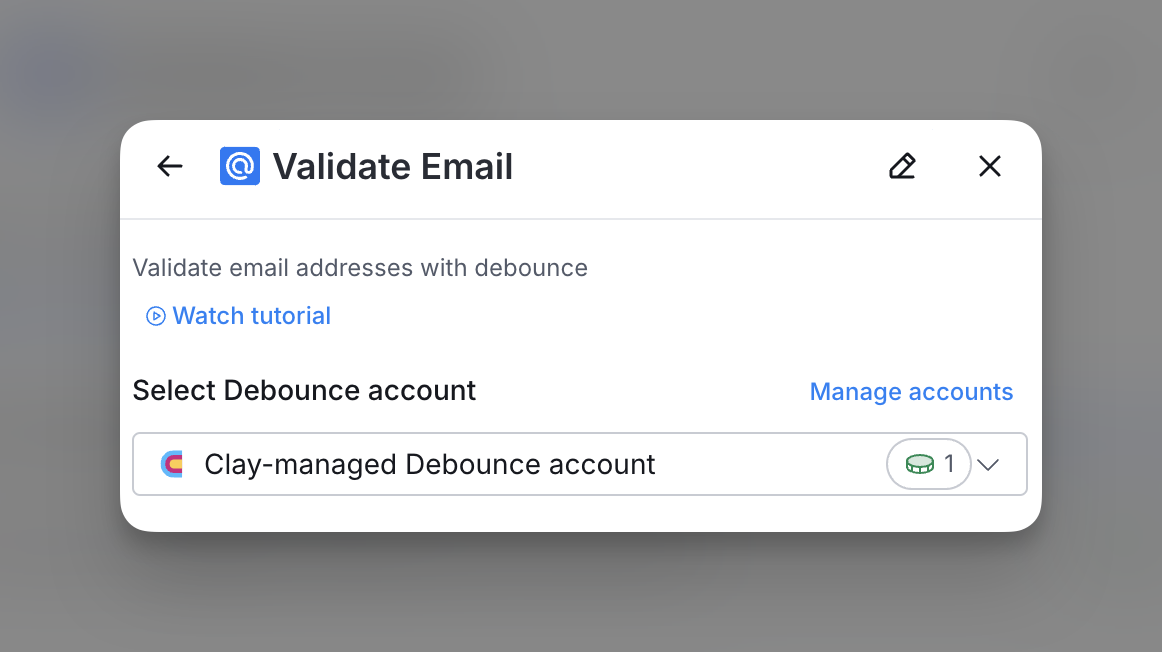
By default, Debounce enrichments will use the Clay-managed Debounce account. This means that any new enrichment will charge the designated credit amount.
Simply pull up any Debounce enrichment within Clay to use the Clay-managed Debounce account.
Option 2: Use your own Debounce API key
If you are currently on a paid plan, you can use your own Debounce account within Clay through an API key.
To access your Debounce API key, please visit app.debounce.io/api.
You can add your Debounce API key to Clay within the enrichment panel. Below is where you'd add your API key within the enrichment panel.

How do you use Debounce to validate an email address?
Debounce’s Validate Email action allows you to verify one or multiple email addresses by simply inputting them.

Step 1: Choose the Debounce account you want to use
You can use either the Clay-managed Debounce account or bring your own key.
If you use the Clay-managed Debounce account, you will be charged at 1 credit per enriched cell.
Step 2: Select the email(s) you want to verify
With Debounce, you are able to input multiple emails to verify.
By default, emails classified as “risky” by Debounce will still be marked as valid. However, if the “Safe to Send” option is enabled, only emails that Debounce has classified as “Safe to Send” will be returned as valid.
When you Exclude “Free” Emails, you have the option of removing any email address that comes through a free domain (e.g. @gmail.com).
Step 3 (Optional): Select Auto-update
By default, Debounce will auto-update the integration every 24 hours. This is optional. Make sure to toggle this step off if you do not want to auto-update, however, you might run into stale data problems.
For more information about how auto-update works, please read this brief guide.
Step 4 (Optional): Select Conditional Run Criteria
If you want to only run this enrichment under set circumstances, you are able to input formulas where the column runs only if the formula is true. Learn more about conditional runs in this Clay University lesson.
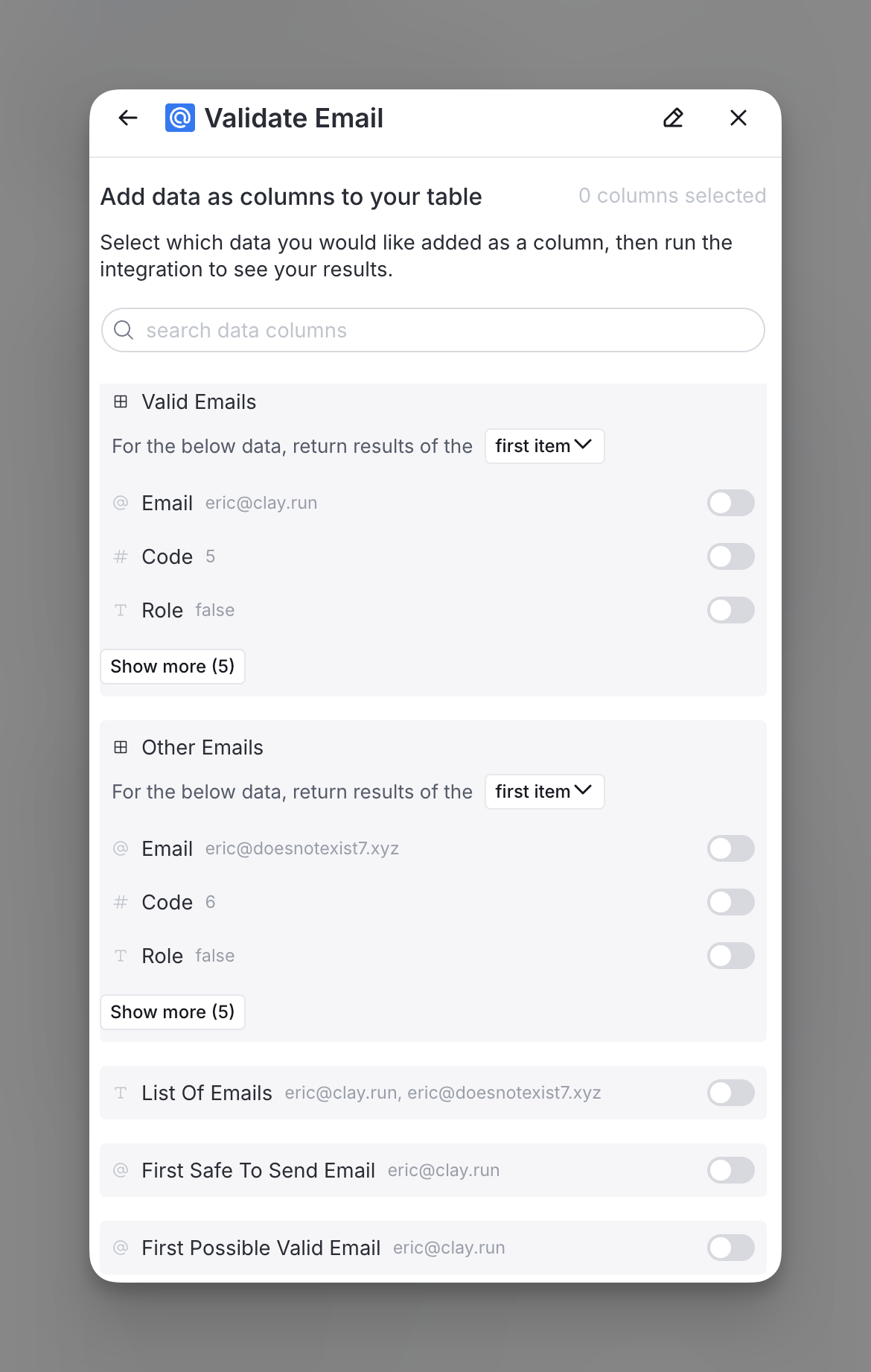
Step 5: Choose data to add as columns to table
Select which data from the enrichment you’d like to add as columns to your table. Even if you choose not to add columns at this point, the enriched data will still be available and accessible for later use.
Explore other docs
Other popular resources
Join a cohort, learn Clay fast!
The faster way to master Clay. Sign in if you're enrolled in a cohort (current or past) or apply!
Hire GTME Talent
Find and connect with GTM talent who've demonstrated expertise in building advanced workflows