


All docs
/
Enrich
/
Bright Data integration overview

Bright Data integration overview

Web data platform providing proxies, scrapers, and datasets.

Overview

Bright Data Overview

Bright Data is an AI-powered tool that extracts specific data from any website or document by simply asking questions.

Setting up Bright Data and Clay integration

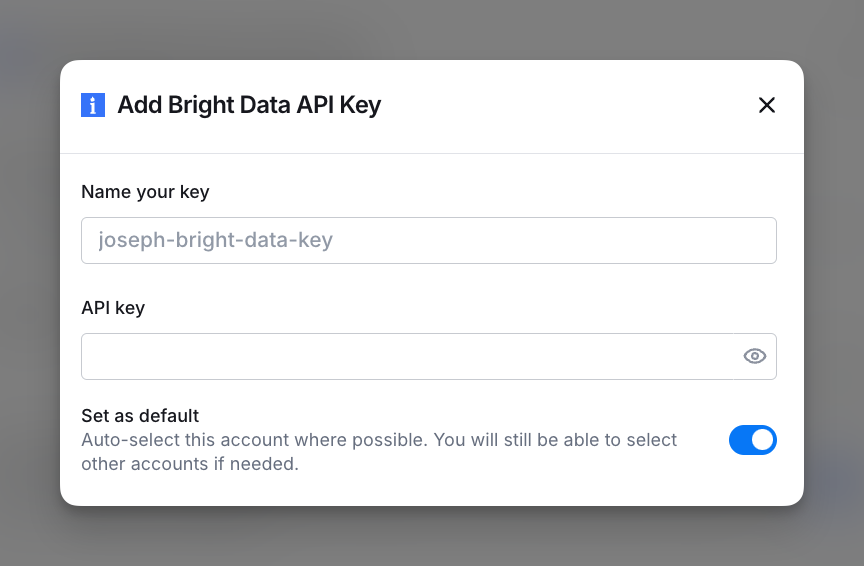
To set up the Bright Data integration, connect your Bright Data account by adding your API key. You can access this in the Settings > Connections or via any integration panel.
Available Actions with the Bright Data Integration

Action Trigger Realtime Data Collector

Use this action to initiate Bright Data’s Realtime Data Collector to gather up-to-date information from web sources.

Setup Inputs

  • Collector ID: Enter or select a column containing the Collector ID of the Bright Data collector you want to trigger.
  • Body (Optional): Provide additional parameters in the request body if required.

Action Find Realtime Data Collector Results

Use this action to retrieve real-time results from Bright Data’s Web Scraper IDE in Clay workflows.

Setup Inputs

  • Response ID: Enter or select a column containing the Response ID to retrieve data from the specified Bright Data collector.

Explore other docs

Find

Work Email waterfall

Find and validate work emails faster — the Work Email waterfall cascades across multiple providers in sequence, stopping as soon as a valid result is found.

View article
Settings & admin

Buying email accounts in Clay (Beta)

Protect your domain reputation while scaling cold outreach — buy alternative domains and email accounts directly in Clay using Clay credits.

View article
Enrich

Attio integration

Pull your Attio records directly into a table as a source and push enriched data back by creating, updating, or upserting records across any Attio object.

View article

Audiences (Beta)

View article
Settings & admin

User groups

User groups let you share Clay workbooks and connected accounts with multiple members at once.

View article
Settings & admin

Access settings for connections

Determine who in the workspace is allowed to build with certain connections or MCP servers.

View article
Settings & admin

Legacy plans

Comparing legacy plans to our new plans

View article

Other popular resources

Experts

Find a Clay Expert

Explore our network of Clay experts and agencies.

View experts
Community

Join our slack community

Find help in our slack community, and support channels.

Go to slack
Cohorts

Join a cohort, learn Clay fast!

The faster way to master Clay. Sign in if you're enrolled in a cohort (current or past) or apply!

Learn more about cohorts
Talents

Hire GTME Talent

Find and connect with GTM talent who've demonstrated expertise in building advanced workflows

Explore GTME talents