




Apify Integration Overview
With Clay’s Apify integration, you can quickly retrieve data from Apify actor runs or launch actors directly in Clay to get results on demand.
Setting up in Apify
Login to Apify to select an actor. Select the scraper, and click Create Task. This will add it to your library of actors.
Switch from Manual to JSON and copy the body text. This will serve as your input data in Clay when you run the actor.
Connecting to Apify in Clay
You can connect your Apify account to Clay in two ways:
Method 1: Connect Apify account within enrichment panel
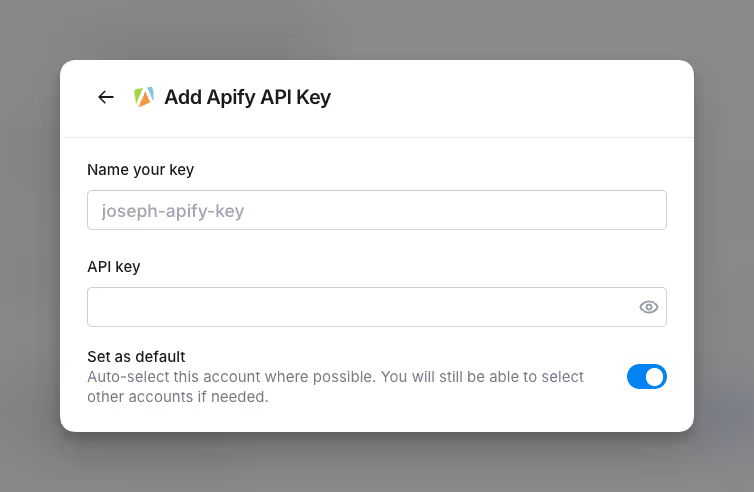
When running an Apify integration in Clay, you’ll be prompted to Add account.
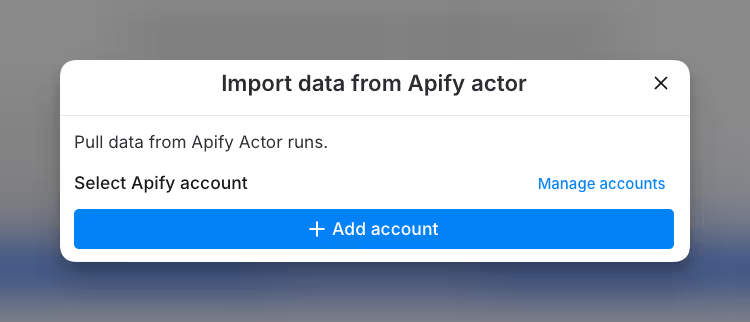
Add your API key and name it to create an account. You can find your API token on the Integrations page in the Apify Console.
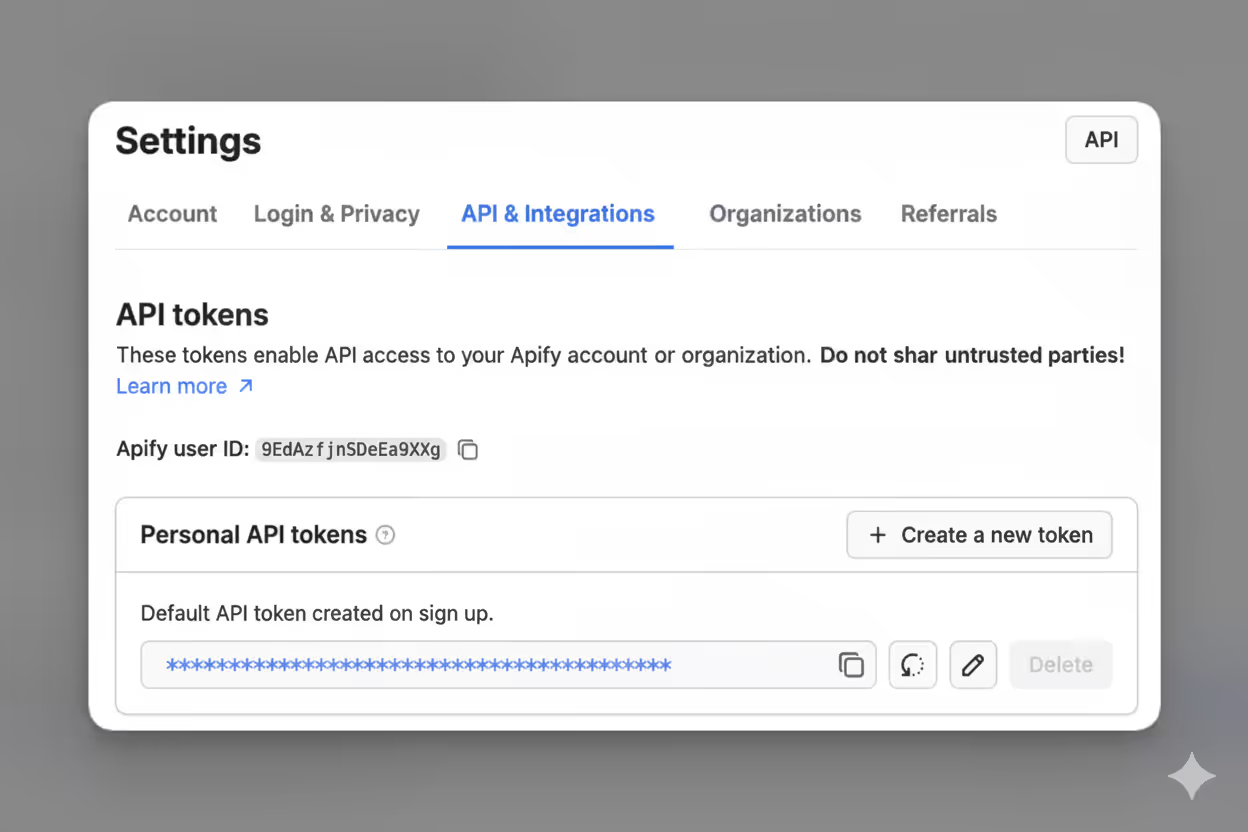
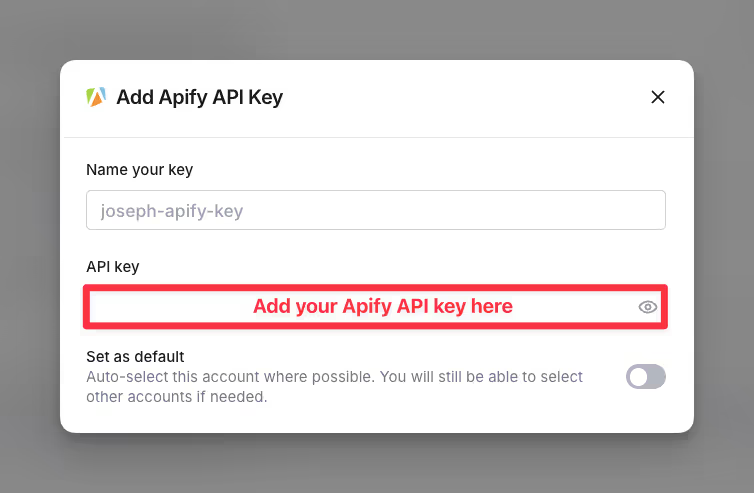
Method 2: Connect Apify account through Clay settings:
Navigate to Settings > Connections in your Clay dashboard.

Click on Add Connection and select Apify from the list.
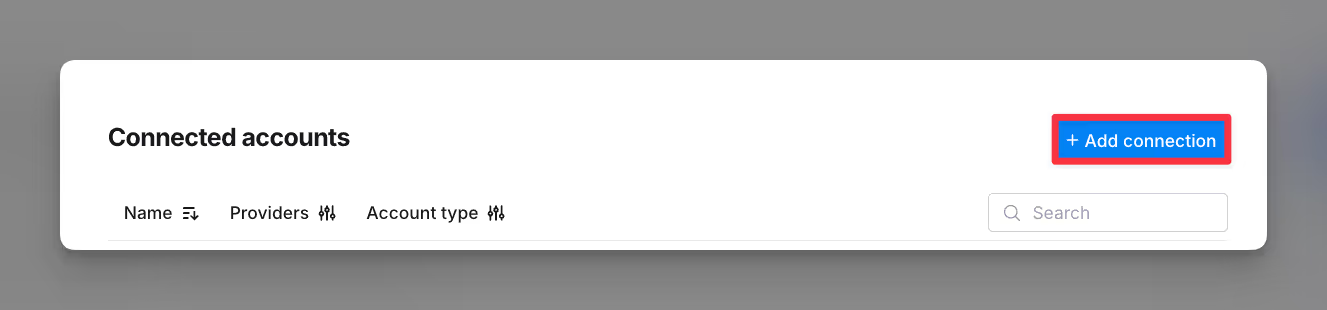
Enter your Apify API key to establish the connection.
Using the Apify integration
Step 1: Choose Apify integration
To connect Apify as a source: In a workbook, click + Add at the bottom. Search for Apify and select from the results.

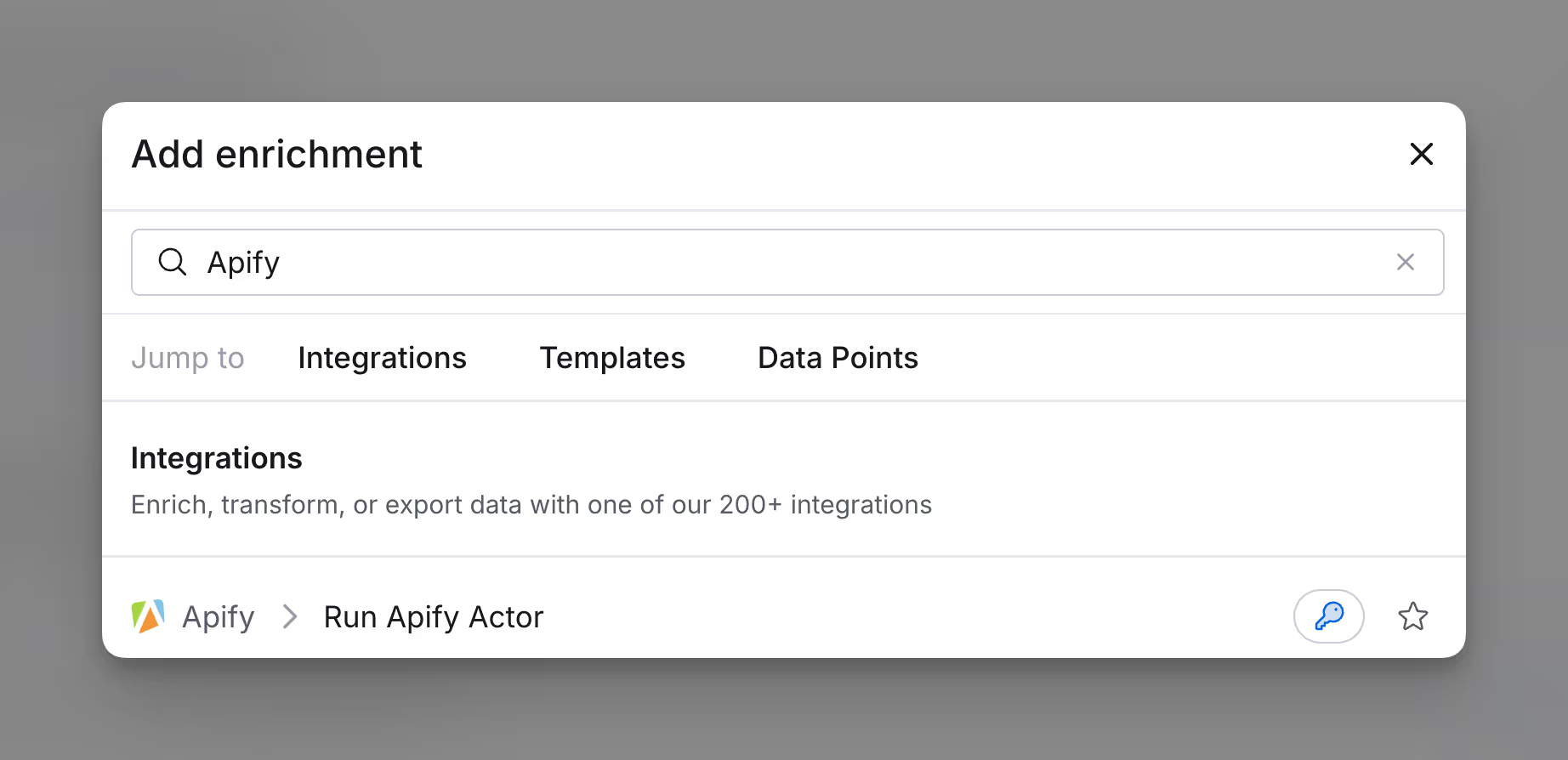
If you are using Apify as an enrichment for an existing table, access the enrichment search bar by selecting Add enrichment in the top right corner. Type in “Apify” in the search bar and select Run Apify Actor.
Step 2: Select Apify account
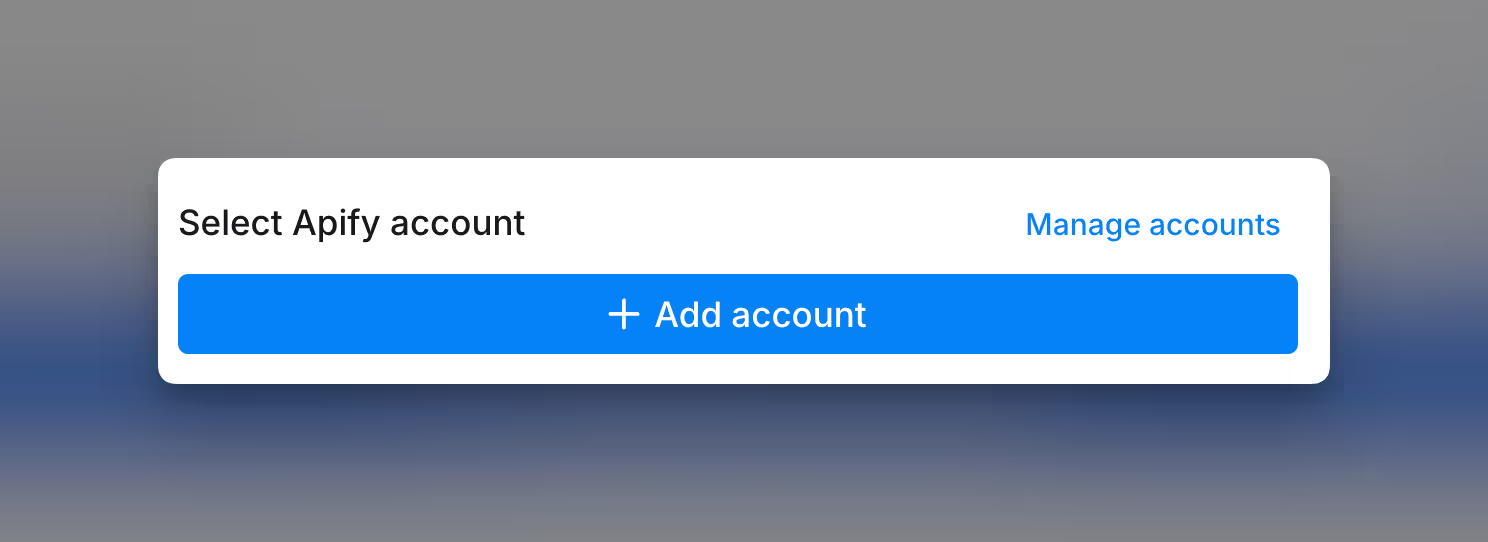
Within the enrichment pane, select your Apify account, and add your account if you haven’t already.
Step 3: Select Apify actor and configure input data
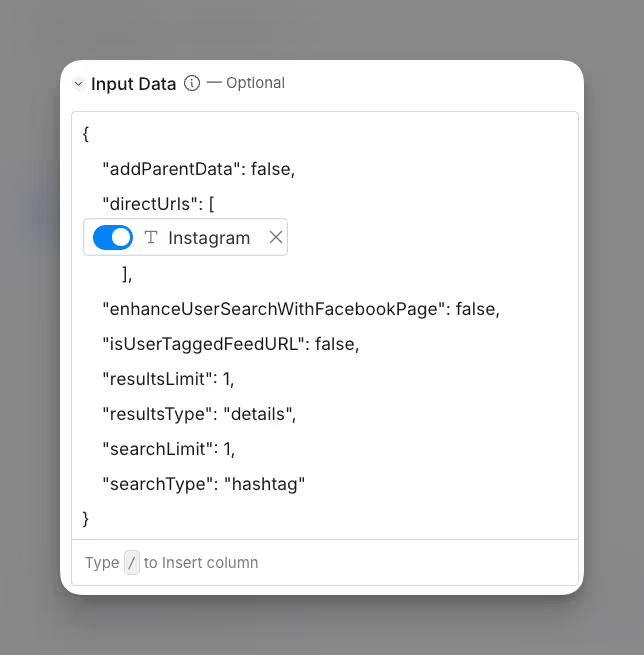
Select the Apify actor you want to run. Then In the Input Data section, you’ll need to specify the data the actor will use. Enter the data body in JSON format.
When referencing column tokens (dynamic data from your Clay table), ensure the key is in quotes, but do not put quotes around the token itself. For example:
Step 4: Configure run settings
If you want to only run this enrichment under set circumstances, you are able to input formulas where the column runs only if the formula is true.
Autoupdate: By default, the auto-update automatically enriches new rows when they were added to the table. Make sure to toggle this step off if you do not want to auto-update, however, you might run into stale data problems.
Conditional run: If you want to only run this enrichment under set circumstances, you are able to input formulas where the column runs only if the formula is true. Learn more about conditional runs in this Clay University lesson.
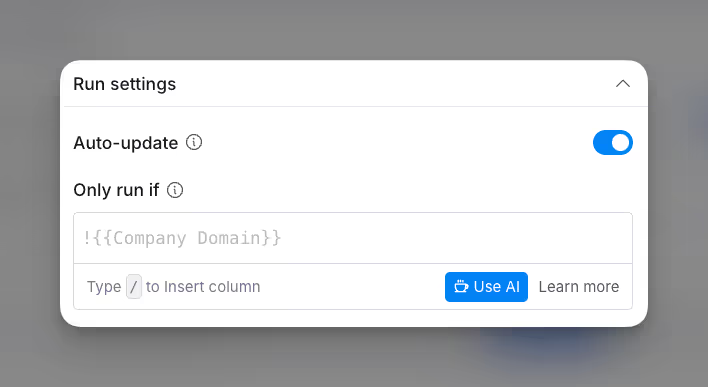
Now you can run your Apify actor within your Clay table!
Utilizing your Apify data
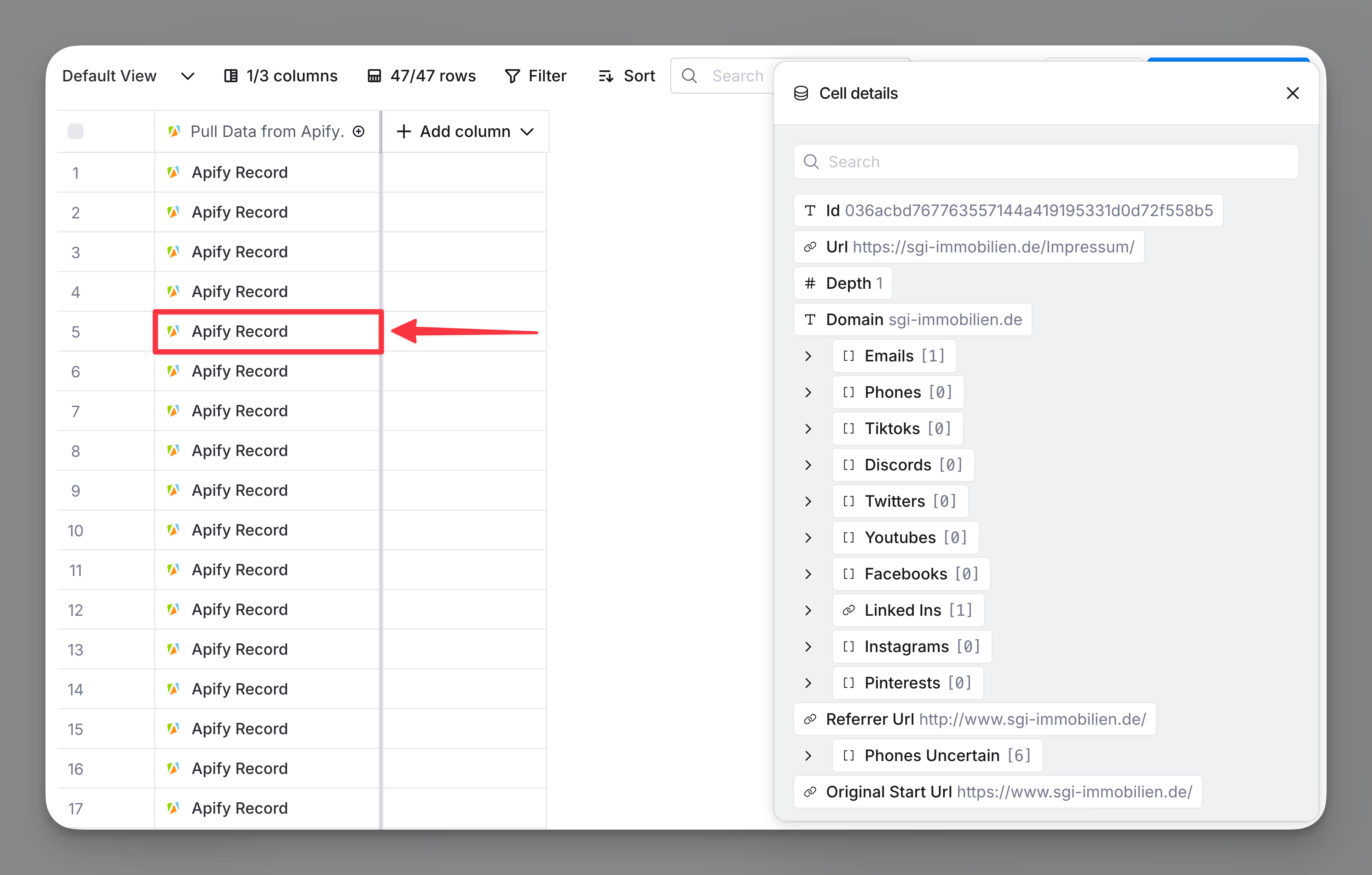
Click into the Source Cell for overlapping accounts to see all the data you pulled in from your Apify actor. From here, you can create new columns with the data or reference this data in an enrichment.
Explore other docs
Other popular resources
Join a cohort, learn Clay fast!
The faster way to master Clay. Sign in if you're enrolled in a cohort (current or past) or apply!
Hire GTME Talent
Find and connect with GTM talent who've demonstrated expertise in building advanced workflows