



Ad destinations (beta)
Build and sync contact and account lists to LinkedIn and Meta for precise ad targeting.

Note: This feature is in beta.
Build and sync contact and account lists to LinkedIn and Meta for precise ad targeting. Import your target accounts and contacts into Clay, enrich them with personal emails for better match rates, then sync to ad platforms for campaigns and exclusions.
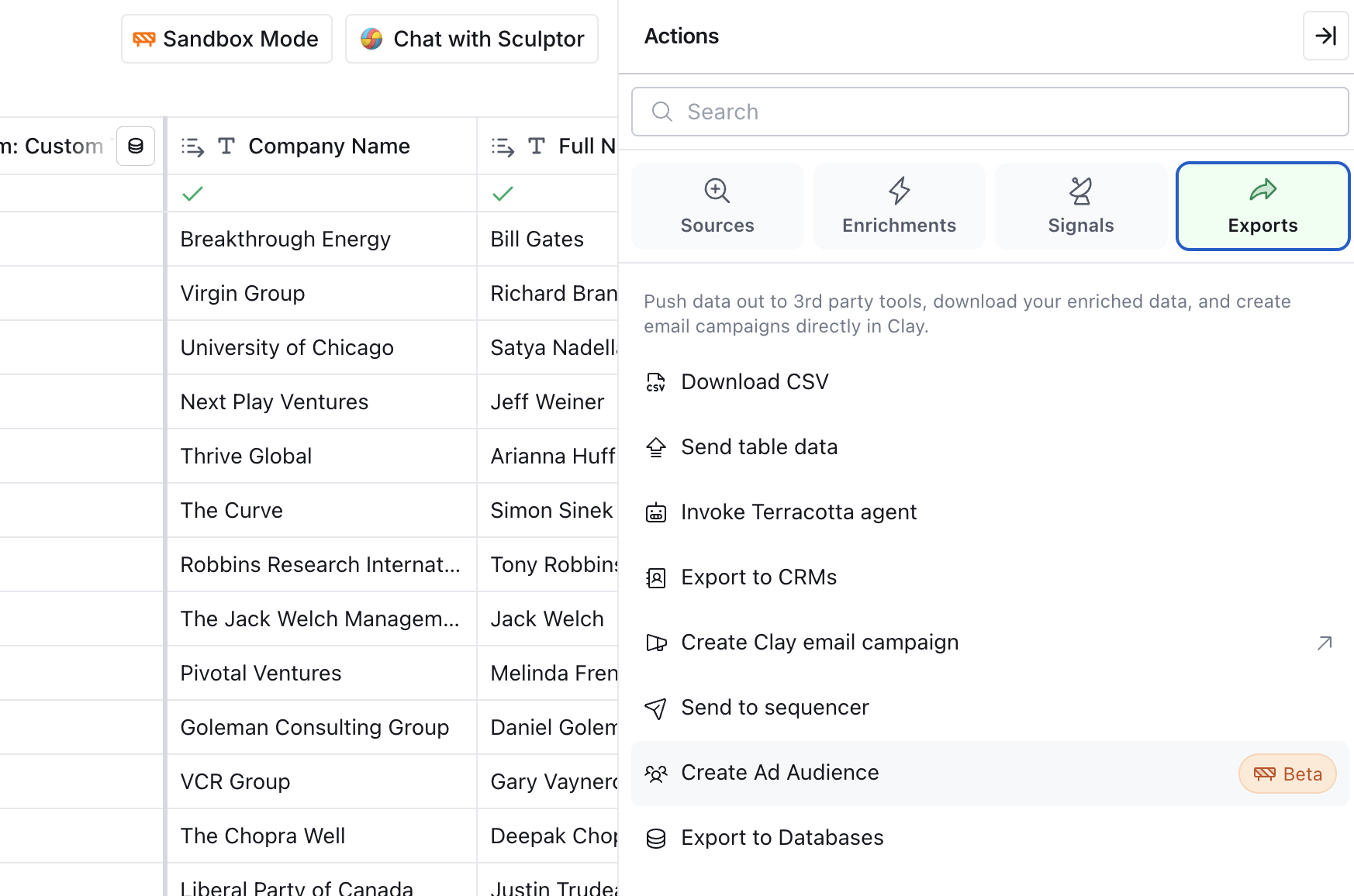
Creating and syncing ad audiences
Note: Personal email addresses significantly improve match rates when syncing to ad platforms. Use the Hashed Email for Ads waterfall to find contact email addresses.
- To start, open a table that contains the accounts and contacts you want to target. Then click
Actions→Exports→Create ad audience.- If you haven't done this yet, you will need a list of contacts and their email addresses in a table.
- Choose your connected account on LinkedIn or Meta and prepare your data before mapping:
- LinkedIn has character limits for certain fields. If needed, add a formula column to shorten longer job titles for better match rates.
- Map columns for the selected platform and click
Continue. Not every field is required, but there are important combinations:- For contacts: Hashed email + first name/last name.
- For accounts: Company name +company website.
- Review your audience insights and quality summary.
- Check your estimated match rate and audience size before syncing.
- Make adjustments to your table if needed (for example, narrowing down to specific job titles or industries) and re-run your export.
- Send your audience to the selected platform.
- Your audience will be created within 24 hours for Meta and 48 hours for LinkedIn. You can then attach your audience to campaigns in LinkedIn Campaign Manager or Meta Ads Manager.
Once synced, your audience updates automatically as data changes in your Clay table. Contacts and accounts are added or removed based on your criteria, keeping your ad targeting aligned with your latest data.
Managing ad audiences
You can view and manage all synced audiences from the Exports panel in your table. This view shows:
- Sync status and history
- Match rates for each sync
- Total audience size
- Last sync timestamp
To update an audience, simply modify the data in your Clay table. The audience will automatically resync based on your configured schedule.
FAQs
What platforms are supported?
Clay currently supports syncing ad audiences to LinkedIn and Meta. Support for Google Ads is coming soon.
Is this feature available on all plans?
Ad audiences are currently available for customers on the Enterprise Plan. Regular credits apply for any enrichments used in a table.
What are the limitations?
The 50,000 row limit applies to ad audiences exported from tables. For larger audiences, create multiple tables and attach multiple audiences to your campaigns in the ad platform.
How long does it take for audiences to be created?
After sending your audience to LinkedIn or Meta, it will be created within 48 hours (typically 1-2 days). Plan accordingly when launching time-sensitive campaigns.
Why should I use personal emails instead of work emails?
Personal emails are essential for better match rates because most users sign up for LinkedIn and Meta with personal email addresses rather than work emails. Match rates depend on your audience data quality. To maximize results, use the Hashed Email for Ads waterfall to find contact email addresses.
Do audiences automatically update?
Yes! Once synced, your audiences automatically update as data changes in your Clay table. New rows that match your criteria are added, and rows that no longer match are removed. This keeps your ad targeting aligned with your latest data without manual updates.
Can I see which contacts matched?
No, LinkedIn and Meta don't provide contact-level match visibility for privacy reasons. However, Clay shows aggregate match rates and total audience size after each sync.
How do I connect my LinkedIn or Meta ad account?
When you create your first ad audience, you'll be prompted to authenticate with LinkedIn Campaign Manager or Meta Business Manager. Make sure you have admin access to the ad account you want to use.
Can I sync to multiple ad accounts?
Yes, you can connect multiple LinkedIn or Meta ad accounts and choose which account to sync each audience to.
Explore other docs
Other popular resources
Join a cohort, learn Clay fast!
The faster way to master Clay. Sign in if you're enrolled in a cohort (current or past) or apply!
Hire GTME Talent
Find and connect with GTM talent who've demonstrated expertise in building advanced workflows