



Instantly enrich Intercom support tickets, directly in your chat thread, in real time
Deliver better customer support by using Clay to enrich Intercom support tickets with custom contact and company data, in real time.
Before we begin
What’s one of the most common challenges support teams face every day?
Identifying which person and company has opened a support ticket in the first place.
At Clay, ten support specialists handle over 6,000 support tickets every month. By quickly identifying who’s on the other line (and their history with our product), we can make each response more relevant and helpful.
So we created a system for it.
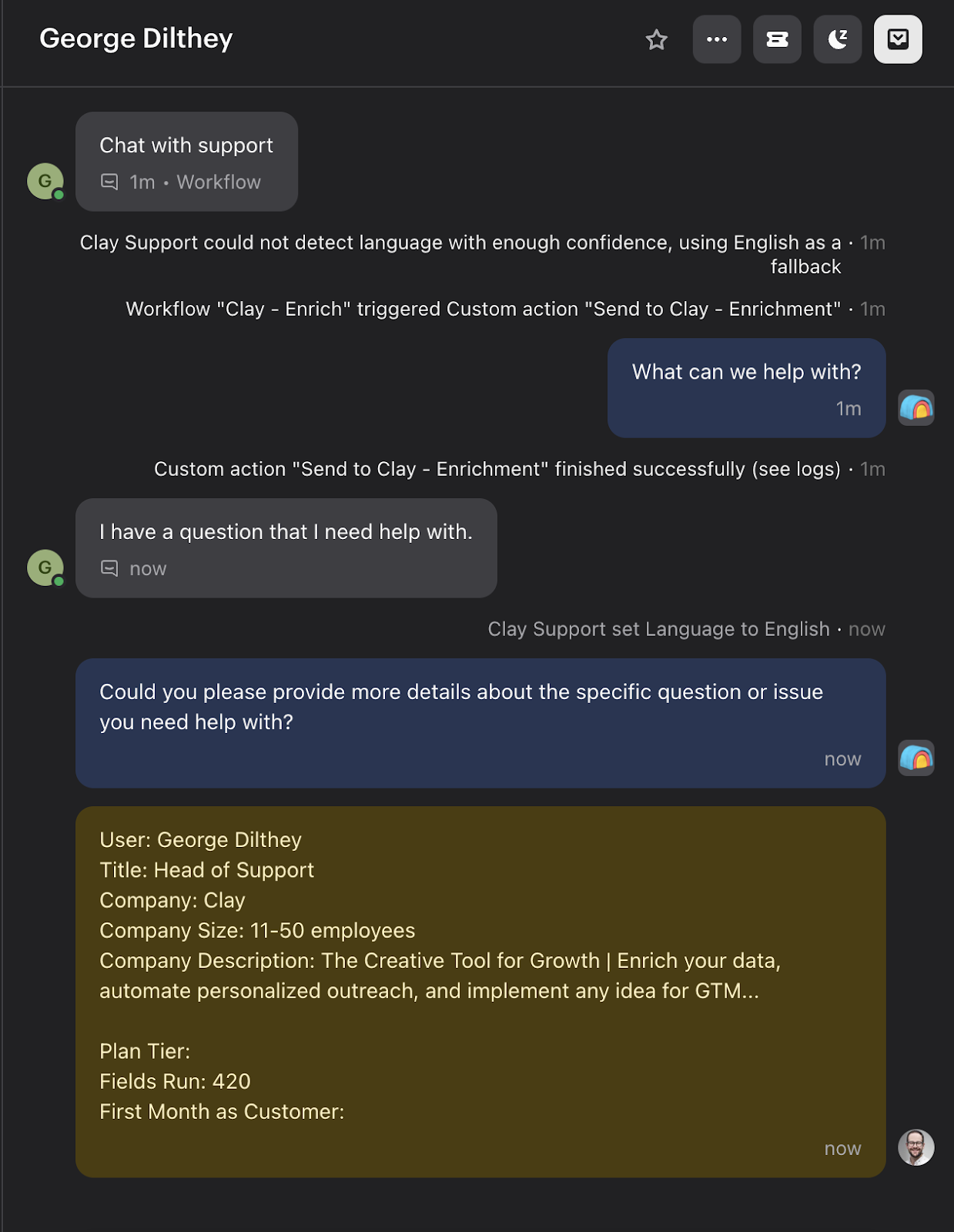
Each time a ticket opens, an Intercom workflow triggers a webhook to Clay. In Clay, we:
- Enrich user data with our people/company information.
- Pull relevant data from Salesforce.
- Use the Intercom API to post this information as a note on the ticket.
Why not just connect our CRM to Intercom?
We do, but here’s two reasons why this works better:
- Coverage: Sometimes users reach out before creating a Clay account, so this method helps us recognize who they are even if they haven’t reached Salesforce.
- Visibility: Intercom sidebar data is overwhelming, so adding this info directly in the ticket keeps it front and center for our specialists. Plus, we can adjust the info to align with our goals. For example, we can see how many enrichments a customer has run in Clay which helps with activation goals.
Other popular resources
Join a cohort, learn Clay fast!
The faster way to master Clay. Sign in if you're enrolled in a cohort (current or past) or apply!
Hire GTME Talent
Find and connect with GTM talent who've demonstrated expertise in building advanced workflows