



Automate QA reports and score on all customer support tickets
Use Clay and Intercom to QA customer support tickets and pinpoint areas of improvement.
Before we begin
As our customer support team grows at Clay, maintaining consistent, qualitative feedback regarding support effectiveness has gotten much harder.
While individual support ticket reviews were helpful, they were also time-consuming.
So we built a QA engine in Clay to automate feedback on customer support tickets.
This Claybook sends closed tickets from Intercom to Clay where ChatGPT runs them through four qualitative checks: understanding and clarity, problem solving and resolution, communication and tone, setting expectations. We then send summaries and feedback to the team through Slack for review (see below).
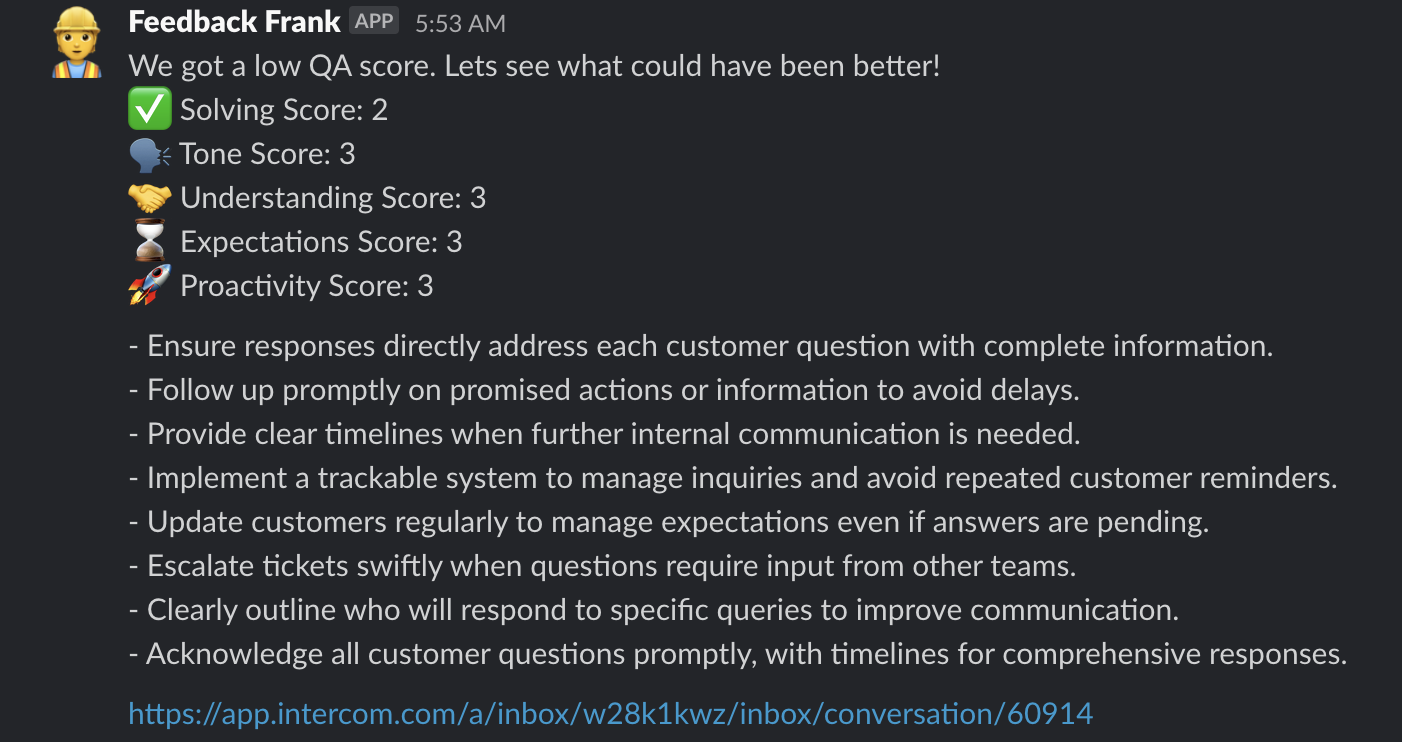
I’m morally against using AI to measure the success of our support team. So we use this system to find areas of opportunity, not to measure how well each individual is doing. If we get a low QA score, we can see where in the support conversation we could have improved and what to do better next time. All in real time.
Other popular resources
Join a cohort, learn Clay fast!
The faster way to master Clay. Sign in if you're enrolled in a cohort (current or past) or apply!
Hire GTME Talent
Find and connect with GTM talent who've demonstrated expertise in building advanced workflows