



Create help articles from customer support conversations, automatically
Use Clay to automate help article drafts that solve specific issues mentioned in Intercom support chats.
Before we begin
How do you create or update customer support articles in real time once you discover a knowledge gap?
Automate it in Clay.
Here’s how it works:
First, when a support specialist identifies missing or outdated support content, they trigger a workflow directly from the Intercom inbox, like the one below:
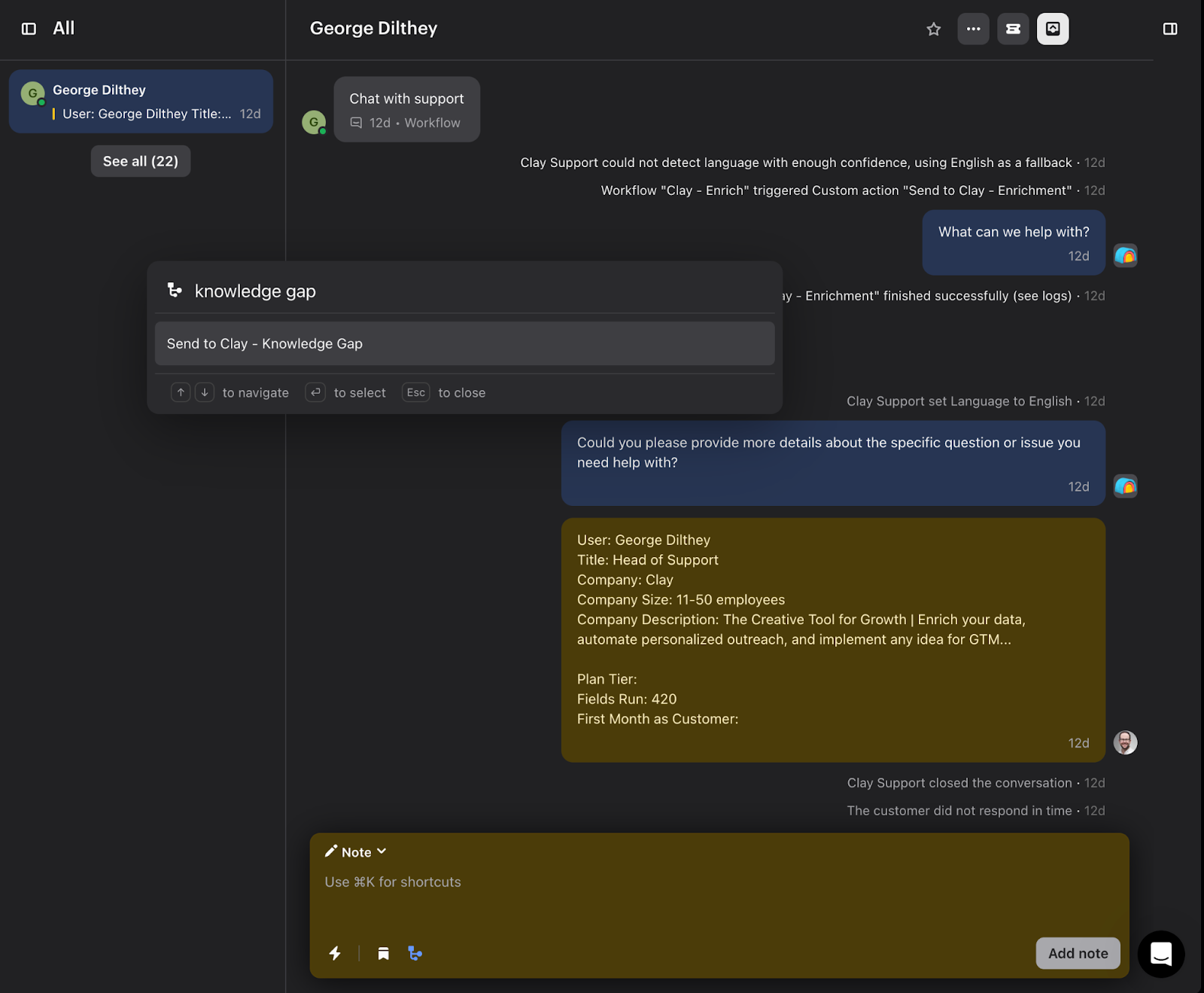
Once triggered, the conversation gets sent to Clay where AI creates a first draft help article that solves the issues discussed in the support thread.
Bonus: you can copy and paste drafts into a doc, or you can push drafts to Notion docs or Google docs automatically so your content team can edit them before publishing.
Other popular resources
Join a cohort, learn Clay fast!
The faster way to master Clay. Sign in if you're enrolled in a cohort (current or past) or apply!
Hire GTME Talent
Find and connect with GTM talent who've demonstrated expertise in building advanced workflows