




What is NeverBounce?
NeverBounce in Clay validates work emails to ensure they’re safe, reducing bounces, protecting your sender reputation, and improving deliverability.
We'll cover how to connect Clay to RocketReach, and then we'll go over how to validate an email with NeverBounce.
Connecting Clay with NeverBounce
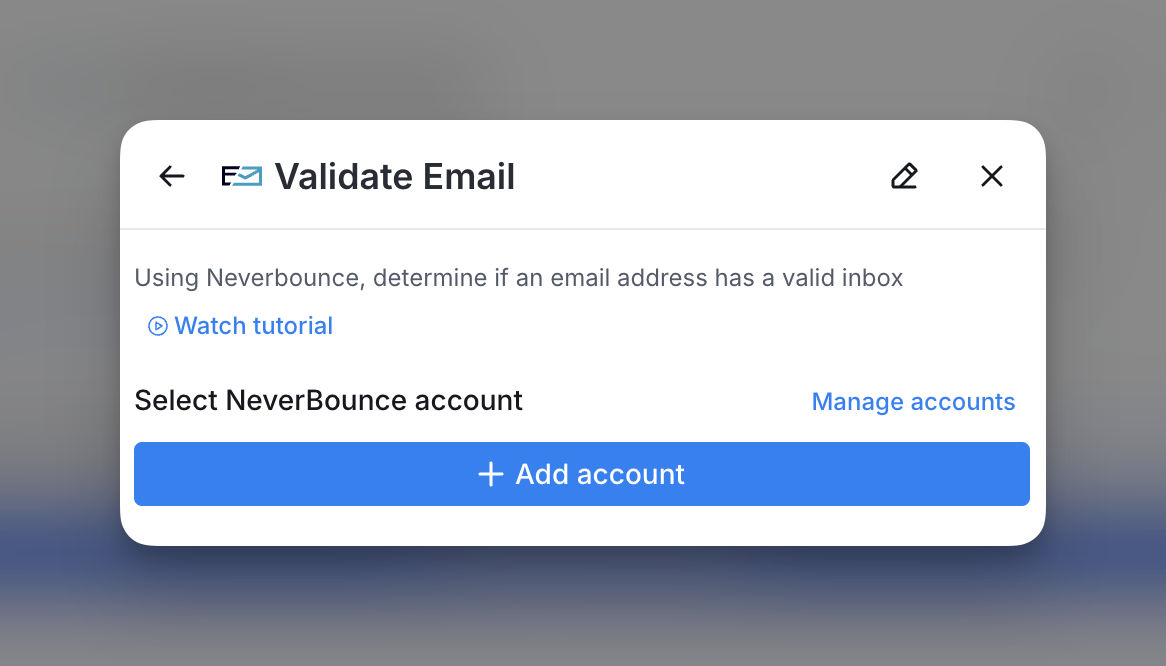
You can add your NeverBounce API key to Clay within the enrichment panel. Below is an example of where to add your API key within the enrichment panel.
How do you validate an email with NeverBounce?
Neverbounce’s Validate Email action helps you determine if the email address you’re sending to has a valid inbox. Follow the steps below to validate your emails with NeverBounce.
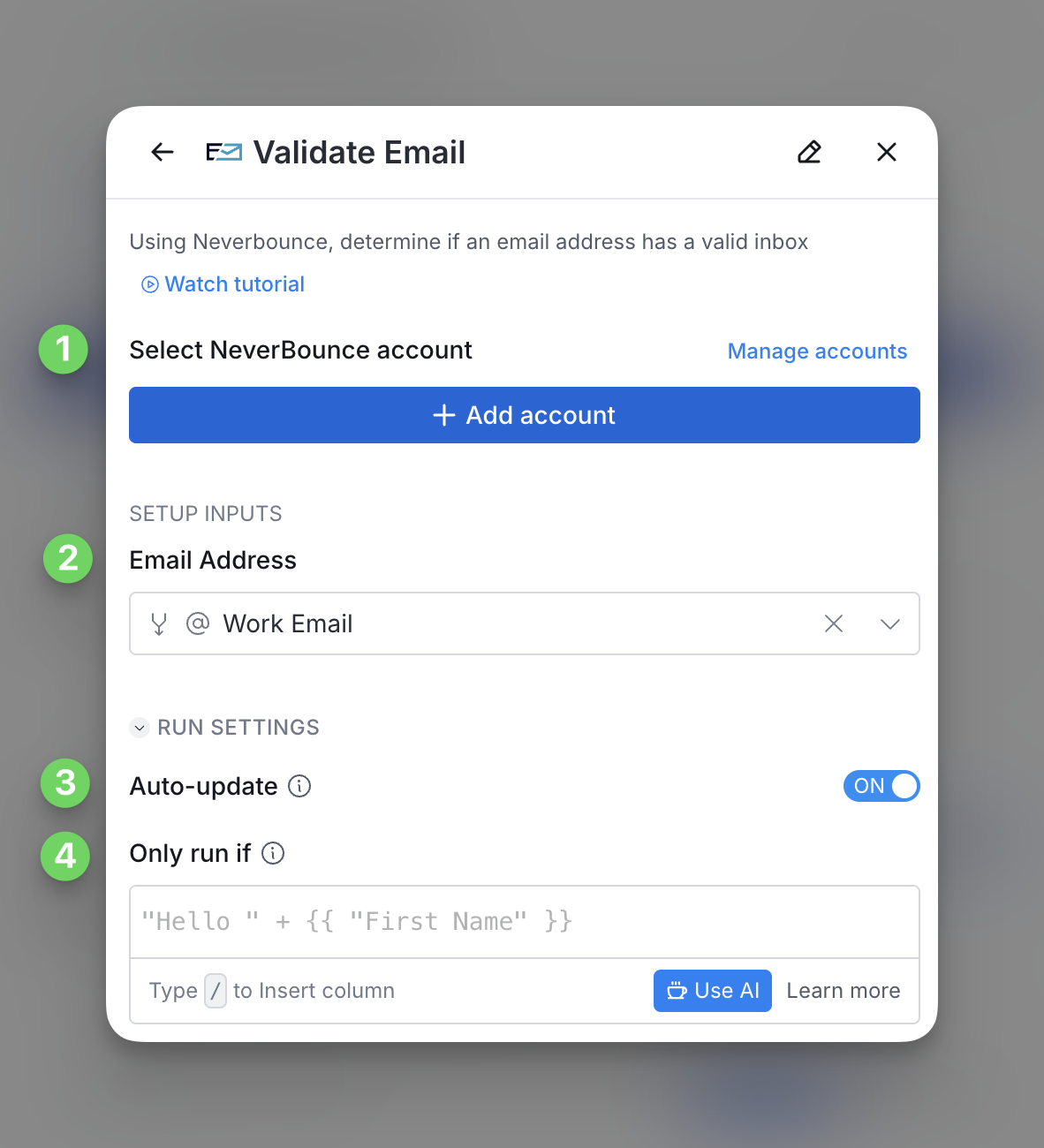
Step 1: Select input NeverBounce API key to create account
If you haven’t already created a NeverBounce account within Clay, you can add an API key tied to an account. Note that you must bring your own API key for this step
Step 2: Select the email you want to verify
For this step, input the email address you want to verify
Step 3 (Optional): Select Auto-update
By default, NeverBounce will auto-update the integration every 24 hours. Make sure to toggle this step off if you do not want to auto-update. However if you do so, you might run into stale data problems.
Step 4 (Optional): Select conditional run criteria
If you want to only run this enrichment under set circumstances, you are able to input formulas where the column runs only if the formula is true. Learn more about conditional runs in this Clay University lesson.
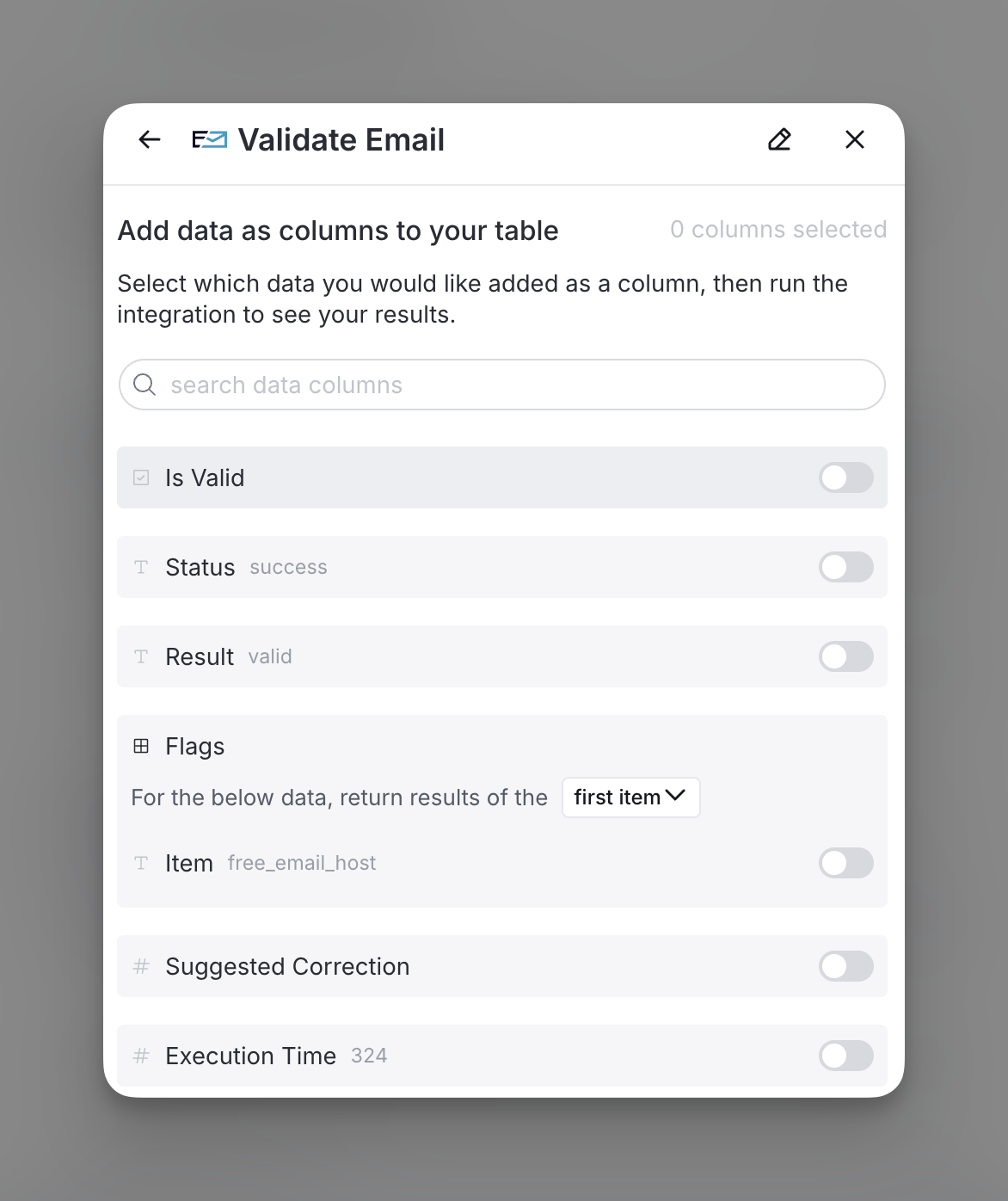
Step 5: Choose data to add as columns to table
Select which data from the enrichment you’d like to add as columns to your table. Even if you choose not to add columns at this point, the enriched data will still be available and accessible for later use.
Explore other docs
Other popular resources
Join a cohort, learn Clay fast!
The faster way to master Clay. Sign in if you're enrolled in a cohort (current or past) or apply!
Hire GTME Talent
Find and connect with GTM talent who've demonstrated expertise in building advanced workflows