




What is the Madkudu integration?
Start from an email address and get intent data and relevant signals. Clay's API key is setup to give a lead score for B2B SaaS, SMB Mid-market, sign up with Madkudu directly and use your own API key to create a custom score.
Setting up Madkudu within Clay
You can score the leads within your table two ways.
Option 1: Use the Clay-managed Madkudu Account
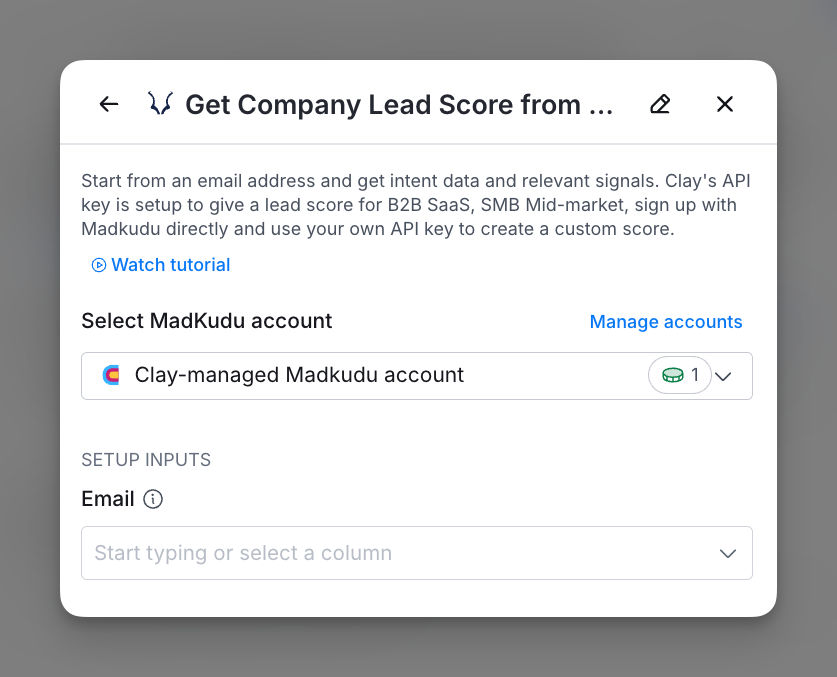
By default, Madkudu enrichments will use the Clay-managed Madkudu account. This means that any new enrichment will charge the designated credit amount.
Simply pull up any Madkudu enrichment within Clay to use the Clay-managed Madkudu account.
Please note the lead scores from the Clay account assumes a generic score as if you are selling a B2B SaaS product to larger companies.
(Recommended) Option 2: Use your own Madkudu API key
If you are currently on a paid plan, you can use your own Madkudu account within Clay through an API key.
If you have your own Madkudu account, it’s recommended that you link your API key to given that lead scores are best when customized.
To access your Madkudu API key, please visit Madkudu's documentation.
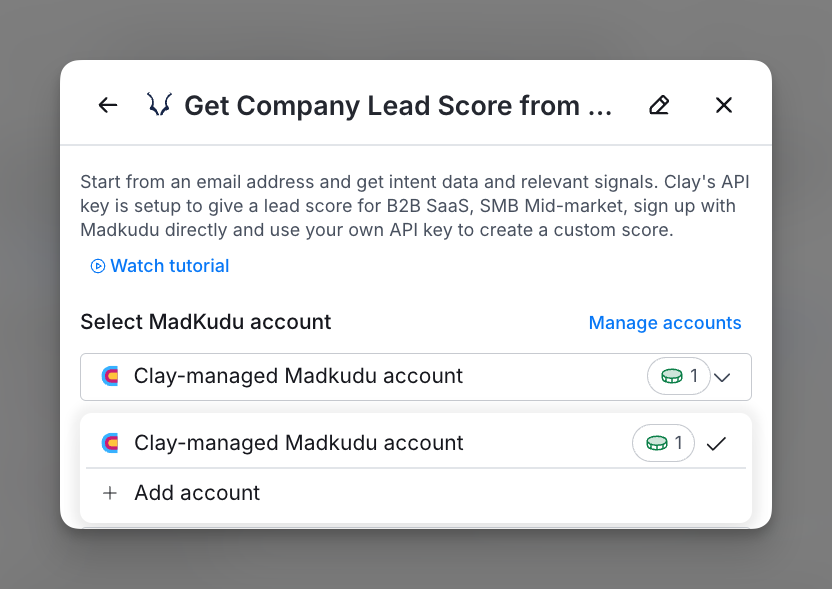
You can add your Madkudu API key to Clay within the enrichment panel. Below is an example of where add your API key within the enrichment panel.
How do you use Madkudu within Clay?

Step 1: Choose the Madkudu account you want to use
You can use either the Clay-managed Madkudu account or bring your own key.
If you use the Clay-managed Madkudu account, you will be charged at 1 credit per enriched cell.
Step 2: Input the email address for company lead scoring
Please input the email address of the person you are lead scoring.
Step 3 (Optional): Configure run settings
If you want to only run this enrichment under set circumstances, you are able to input formulas where the column runs only if the formula is true.
Autoupdate: By default, the auto-update automatically enriches new rows when they were added to the table. Make sure to toggle this step off if you do not want to auto-update, however, you might run into stale data problems.
Conditional run: If you want to only run this enrichment under set circumstances, you are able to input formulas where the column runs only if the formula is true. Learn more about conditional runs in [this Clay University lesson](https://www.clay.com/university/lesson/ai-formulas-conditional-runs-clay-101#:~:text=Conditional runs (which make use,personal emails for all rows).).
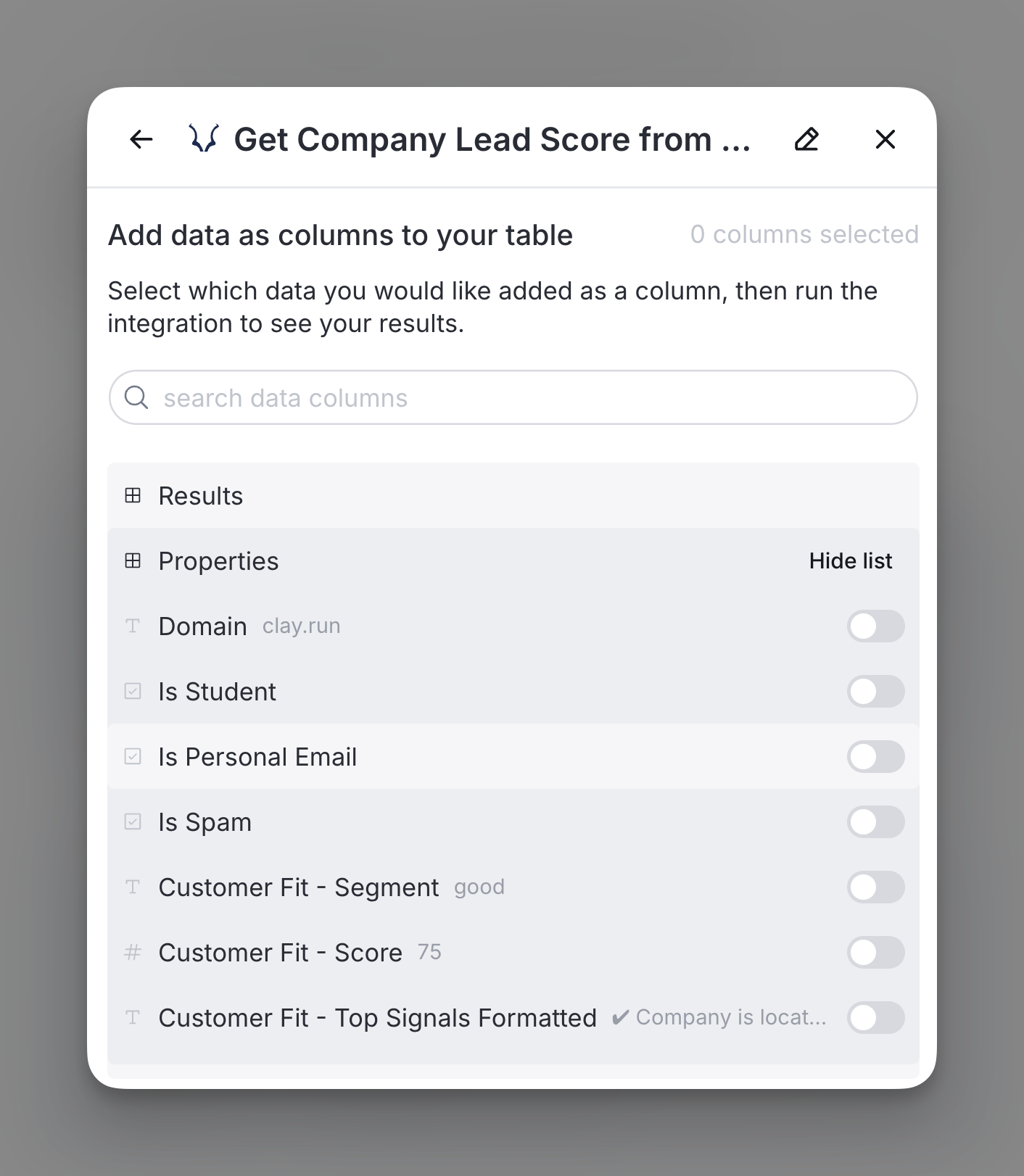
Step 4: Choose data to add as columns to table
Select which data from the enrichment you’d like to add as columns to your table. Even if you choose not to add columns at this point, the enriched data will still be available and accessible for later use.
Step 5: Click into the enriched cell to verify the data
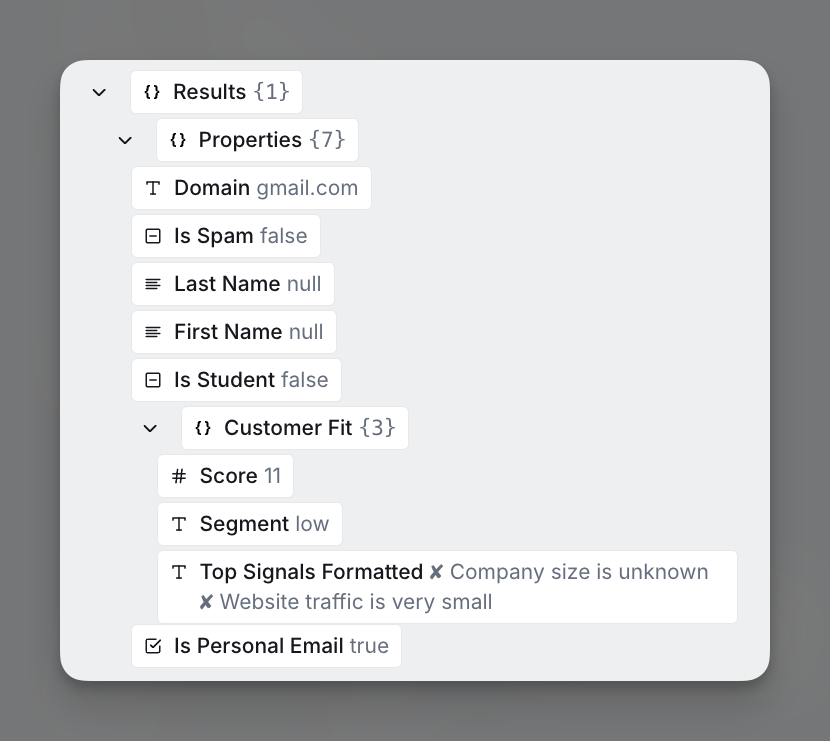
Click into the enriched cell.
You can verify enriched data to assess lead score. Indicators like low customer fit scores and personal email domains help identify lower-priority leads for efficient prioritization.
Explore other docs
Other popular resources
Join a cohort, learn Clay fast!
The faster way to master Clay. Sign in if you're enrolled in a cohort (current or past) or apply!
Hire GTME Talent
Find and connect with GTM talent who've demonstrated expertise in building advanced workflows