




What is HitHorizons?
The HitHorizons integration in Clay gives you access to firmographic data on over 80 million European companies, including sales, employee count, industry, and location.
Setting up HitHorizons and Clay
You can connect HitHorizons in Clay two ways.
Option 1: Use the Clay-managed HitHorizons account
By default, HitHorizons enrichments in Clay use the Clay-managed HitHorizons account, which charges one credit for each enrichment.
To utilize this, simply open any HitHorizons enrichment within Clay.
.png)
Option 2: Use your own HitHorizons API key
If you are currently on a paid plan, you can use your own HitHorizons account within Clay through an API key.
To access your HitHorizons API key, head over to My Account > My Services > API Dashboard.
.png)
You can then access your API key by selecting API Management > Resend Key.
.png)
You can add your HitHorizons API key to Clay within the enrichment panel. The image below shows where to add your API key in the enrichment panel.
.png)
Action Find EMEA Company Firmographics
The Find EMEA Company Firmographics helps find company sales, employee count, industry code, and location based on Government data. This integration works best when both Company Name and Country are inputted.
Step 1: Select Find EMEA Company Firmographics
Access this action through the integration panel.

Step 2: Select HitHorizons Account
Proceed with either a Clay-managed or a personal account.
.png)
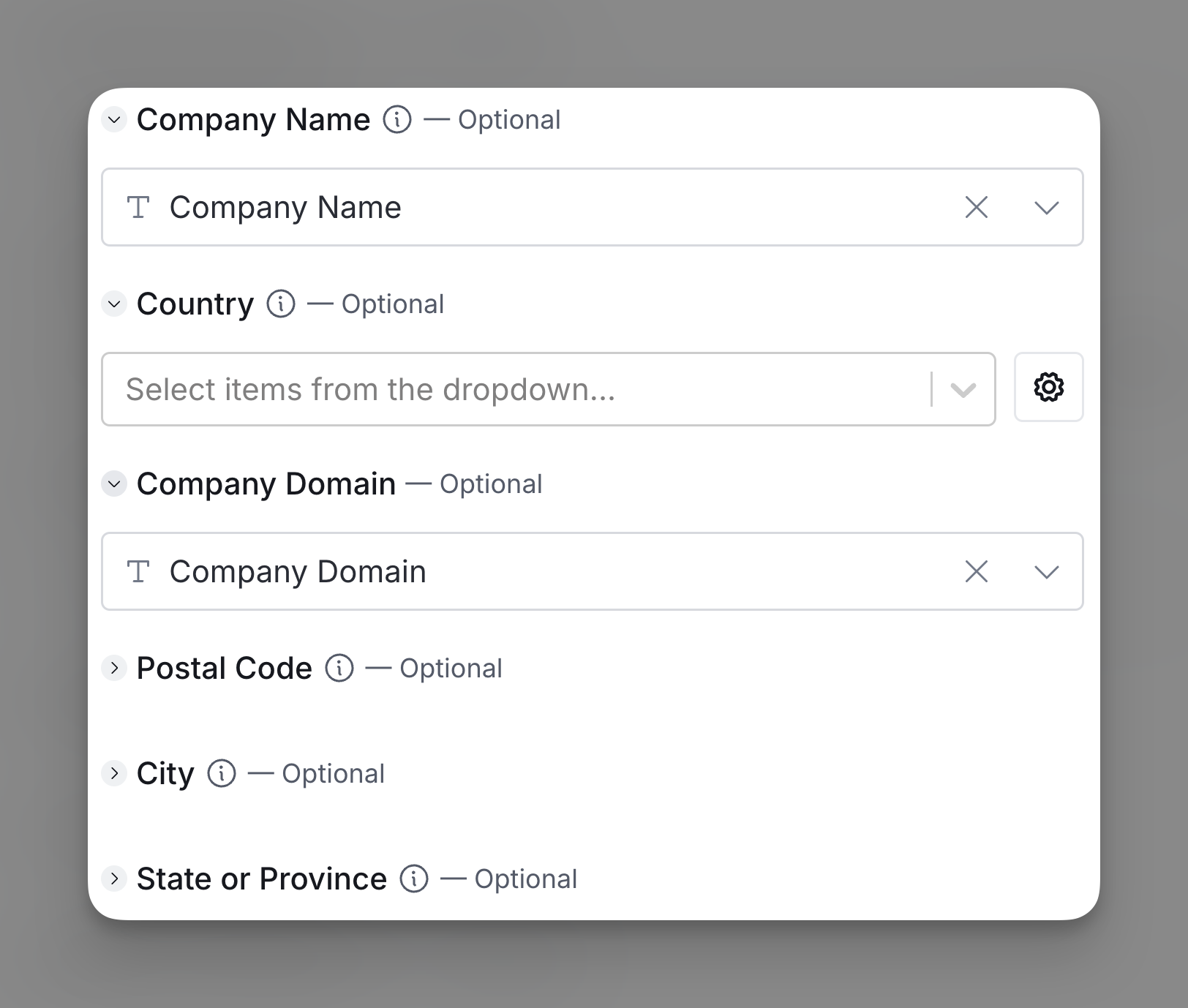
Step 3: Input Company data
This integration works best when both company name and country are inputted. More information will lead to better results searches.
Step 4: Configure run settings
Auto-update: HitHorizons will automatically enrich any new rows that get added to the table. Learn more about auto-update in this this brief guide.
Conditional runs: To run enrichment only under specific conditions, use formulas that trigger the column when the formula is true. See this Clay University lesson.

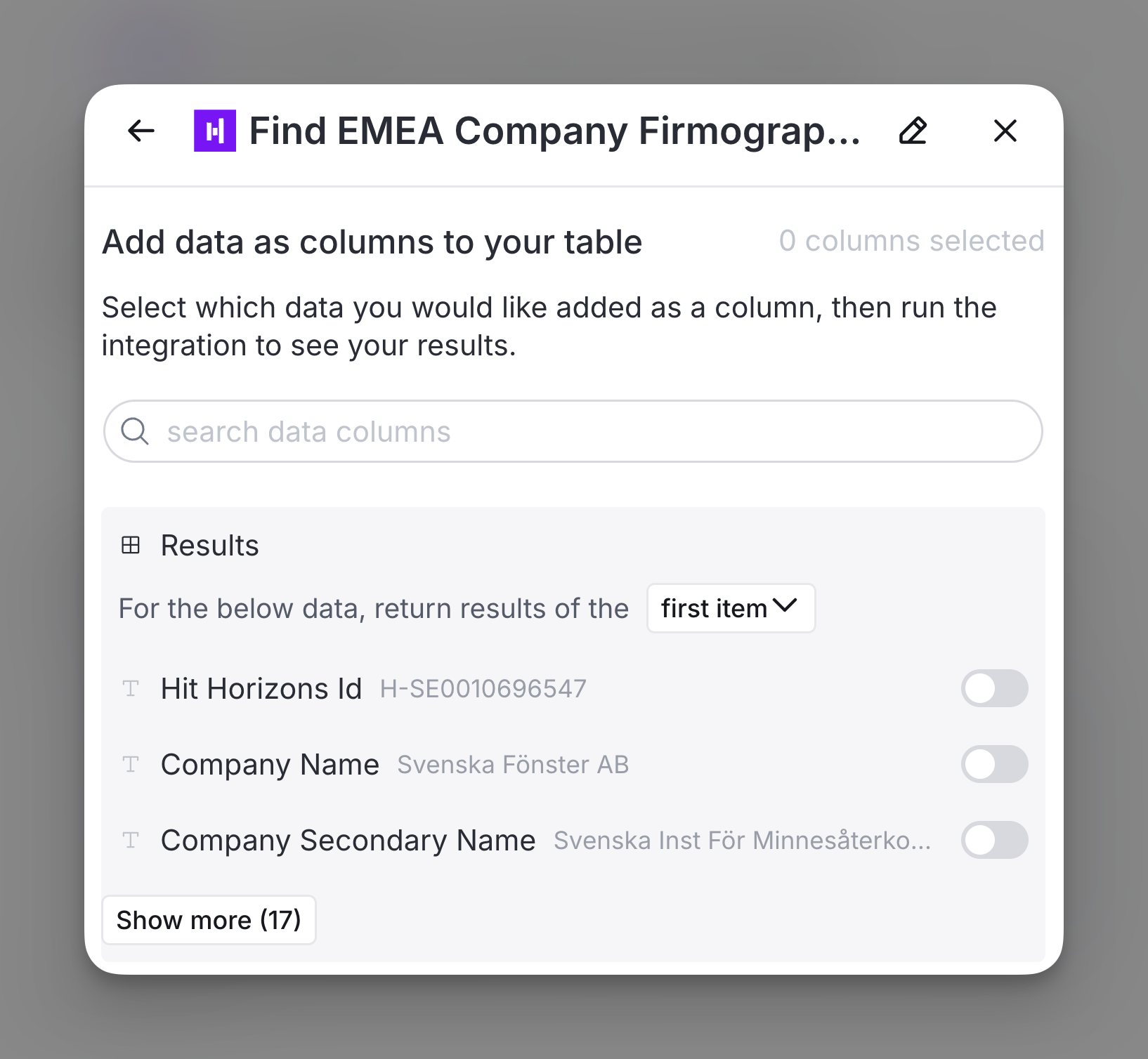
Step 5: Choose data to add as columns to table
Select which data from the enrichment you’d like to add as columns to your table. Even if you choose not to add columns at this point, the enriched data will still be available and accessible for later use.
Explore other docs
Other popular resources
Join a cohort, learn Clay fast!
The faster way to master Clay. Sign in if you're enrolled in a cohort (current or past) or apply!
Hire GTME Talent
Find and connect with GTM talent who've demonstrated expertise in building advanced workflows